
Bending Space Portals Wiki

Bending Space Portals Wiki & Guide
wiki.9minecraft.net/bending-space-portals-mod/
The community wiki and guide for Bending Space Portals — guides, recipes, items and mechanics.
Guides
Step-by-step, in-game.
Automate a Test Chamber with Gategrid and Quantum Field BlocksBuild a Weighted Cube Puzzle with a Cube Dispenser and Pressure PlatesCustomize Portal Colors, Size and Linking with /core CommandsHow to Load a Gateway Core and Fire Your First Linked Portals
Recipes
Every recipe the mod adds, grouped by how it is made.
Items
 Gateway Core
 Gateway Gun
Blocks
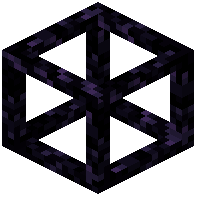 Cube Dispenser
 Gategrid
 Quantum Field
Mobs
Creatures this mod adds.
Weighted Cube
Configuration
Every setting in the mod config file, with what it changes.
| Option | What it does |
|---|---|
staticGatewayRenderingStatic Gateway Rendering | Render portal overlays with a static image rather than a shader |
staticQuantumFieldRenderingStatic Quantum Field Rendering | Render quantum fields with an animated texture rather than a shader |
Frequently asked questions
How do I start using the Gateway Gun?
Hold the Gateway Gun in your main hand and a Gateway Core in your offhand, then press G to load the core into the gun. Left-click a solid wall or floor to fire the primary gateway, then right-click another surface to place the second gateway and link them.
Why won't my portal place on certain blocks?
Gateways only go on solid surfaces, and each Gateway Core has its own list of blocks it can place on. Run /core blocks list to see the allowed blocks, and use /core blocks add <block> or /core blocks remove <block> to change the list.
How do I make portals from two different cores connect to each other?
Hold each core and use /core code to give them the same linking number, because only portals with matching codes connect. If you want a core to place just one side of the pair, use /core side to restrict it.
How do I change the portal colors and size?
Use /core color1 <hex> and /core color2 <hex> to set the primary and secondary colors with hex values. Use /core width <size> and /core height <size> to set the gateway dimensions in blocks.
How do I pick up and carry a cube or mob?
Aim at a Weighted Cube or mob while holding the gun and press V to grab it, then press V again to drop it. If nothing happens, run /core pickup on the loaded core, because that command toggles grabbing mode.
How do I get rid of portals I've placed?
Press R while holding the gun to close all of your active portals at once. To remove only gateways of a specific core code and side, use /cleargateways <side>.
Why did my portals vanish when I walked through a certain block?
That was a Quantum Field block, which removes active portals from the inventory of any player who passes through it. Power the Quantum Field with redstone if you want players to pass through without losing their portals.
Can portals be placed automatically for a puzzle without a player holding the gun?
Yes. The Gategrid block places portals when it receives a redstone signal, so you can wire it into buttons, plates or clocks in a test chamber.
My Weighted Cube fell into lava or got destroyed. How do I get a new one?
Build a Cube Dispenser and trigger it with redstone. It spawns Weighted Cubes and automatically replaces broken ones. You can also summon a cube styled after any block with /cube <block>.
Portals look black, flicker or overlap things wrong. How do I fix it?
Turn on Static Gateway Rendering in the mod's config, which draws portals as static textures to fix overlay display problems on some hardware. If Quantum Field blocks have the same issue, also enable Static Quantum Field Rendering.
Related mods
Other wikis you may find useful.