
Automate a Test Chamber with Gategrid and Quantum Field Blocks
These two blocks let you control portals with redstone, so your puzzle runs without anyone having to set it up by hand.
Redstone-placed portals with  Gategrid
A Gategrid places portals from a redstone signal, with no player holding the gun.
1. Place the Gategrid where you want the portal to appear.
2. Wire it to a lever, button or pressure plate.
3. Trigger the signal and confirm the portal appears.
Try wiring it to a pressure plate that a Weighted Cube sits on. Placing the cube opens the route onward. Use /core side on players' cores so they control only one end of a link while the chamber provides the other.
Resetting portals with 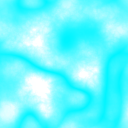 Quantum Field
A Quantum Field block removes the active portals of any player who passes through it. Use a strip of it at room exits so players can't carry their portal links into the next chamber.
If you power the Quantum Field with redstone, it stops removing portals. Wire it to a lever or a cube-plate circuit to turn the field off when a puzzle needs portals to survive the crossing.
Manual cleanup
If a build gets cluttered, run /cleargateways <side>. It removes active gateways that match the specific core code and side. Players can also press R with the gun to close their own portals.
If the field looks glitchy on your hardware, enable Static Quantum Field Rendering in the mod's configuration.