
Aetheric Grid Node Wiki

Aetheric Grid Node Wiki & Guide
Java EditionMod
wiki.9minecraft.net/aetheric-grid-node-mod/
The community wiki and guide for Aetheric Grid Node — guides, recipes, items and mechanics.
Guides
Step-by-step, in-game.
How to Auto-Transfer Items to Your Inventory with the Sky NecklaceHow to Build and Configure a Wireless Logistics NetworkHow to Charge Eulogia Crystals and Set Up Local PipesHow to Store and Balance Massive Resource Stockpiles
Recipes
Every recipe the mod adds, grouped by how it is made.
Items
 Celestial Wrench
 Chora Nectar
 Eulogia Companion Stone
 Eulogia Crystal
 Force Extraction Upgrade
 Ordered Matching Upgrade
 Sky Configurator
 Sky Dimension Upgrade
 Sky Filter List
 Sky Logistics Manual
 Sky Necklace
 Sky Speed Upgrade
 Sky Tag Filter List
Blocks
C
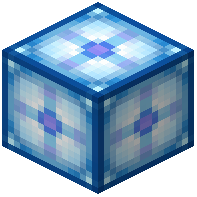 Celestial Distributor
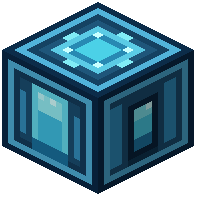 Celestial Fluid Vault
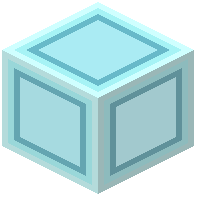 Celestial Glass
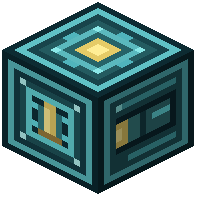 Celestial Item Vault
 Celestial Stone
 Celestial Stone Slab
 Celestial Stone Stairs
 Celestial Stone Wall
S
 Simple Celestial Energy Pipe
 Simple Celestial Fluid Pipe
 Simple Celestial Item Pipe
 Sky Dimensional Network Interface
 Sky Logistics Node
 Sky ME Interface
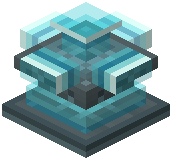 Sky Offering Altar
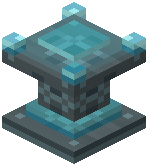 Sky Offering Table
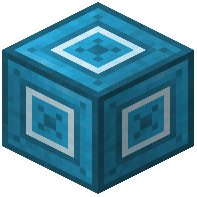 Sky RS Interface
Configuration
Every setting in the mod config file, with what it changes.
| Option | What it does |
|---|---|
fluid_vault | Celestial Fluid Vault |
item_vault | Celestial Item Vault |
node | Sky Logistics Node |
Frequently asked questions
How do I charge Eulogia Crystals?
Take your Eulogia Crystals high into the sky above Y 200 to charge them. Once charged, you can use them to craft the mod's celestial components.
Why aren't my pipes or nodes pulling items out of chests?
Pipes and logistics nodes must be set to extract mode to pull resources from a container. You can set them to extract immediately by holding sneak while placing them directly onto the block.
How do I stop pipes from connecting to adjacent blocks?
Pipes automatically connect to neighboring chests, tanks, and machines when placed. Use the Celestial Wrench on a pipe to manually connect or disconnect individual sides.
How do I link wireless logistics nodes together?
Attach logistics nodes to your machines or storage blocks, then hold the Sky Configurator to create and name wireless lines. Nodes assigned to the same named line will transfer items, fluids, and energy without physical cables.
Can I copy filter and network settings between nodes?
Yes, you can use the Sky Configurator to set filters, manage resource transfer settings, and copy configurations from one node to another.
How do I transfer items and energy across dimensions?
Install Dimension Upgrades into your network to allow wireless lines to reach across different dimensions. Make sure the chunks on both sides of the transfer remain loaded for resources to move.
How do I split items evenly between multiple machines or chests?
Use the Celestial Distributor to balance resource distribution across multiple connected inventories. For storing massive stockpiles in a single place instead, place down Celestial Item Vaults or Fluid Vaults.
How do I automatically send items between my inventory and the network?
Equip the Sky Necklace to link yourself to your wireless lines. It can automatically pull or push items directly between the network, your player inventory, and your backpacks.
Does this mod work with Mekanism, Botania, or Ars Nouveau?
Yes, the network can handle special modded resources including Mekanism chemicals, Botania mana, and Ars Nouveau Source. It also connects directly to external storage systems like Applied Energistics 2 and Refined Storage.
Will big wireless networks cause lag on a server?
No, the mod runs with built-in transfer limits designed to protect server tick rates and keep lag low even during massive resource transfers.