
How to Auto-Transfer Items to Your Inventory with the Sky Necklace
You can link your personal inventory and backpacks directly into your wireless logistics network to automatically restock building materials or dump mined ores without opening a chest.
Equipping and Linking the  Sky Necklace
1. Craft the Sky Necklace using your charged celestial components.
2. Equip the Sky Necklace on your character.
3. Hold the  Sky Configurator to set up a dedicated wireless line name for your personal inventory transfers.
Pushing and Pulling Items
Once your necklace is linked to an active wireless line connected to a storage block or 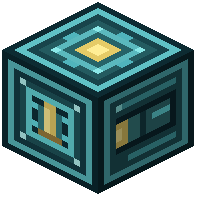 Celestial Item Vault, you can transfer items in both directions:
1. Pulling to Inventory: Set a logistics node on your storage vault to extract mode and assign it to your necklace's wireless line. Use the Sky Configurator to filter the specific tools, food, or building blocks you want kept stocked in your player inventory or backpacks.
2. Pushing to Storage: Configure your Sky Necklace to push items into the wireless line, and place a receiving node on your main storage vault. Unwanted clutter and gathered resources from your inventory and backpacks will automatically move straight into your storage network.