
Unbelievable Definition 2048X Resource Pack FAQ
10 questions players actually ask, answered.
Do I need shaders to use this resource pack?
Shaders are optional but highly recommended—the pack includes normal maps and heightmaps that only fully activate with shader support, creating the 3D depth and realistic lighting shown in screenshots. Without shaders, you'll still get the high-resolution textures, but you'll miss the dramatic shadow and reflection effects.
What shader packs work best with Unbelievable Definition?
Any physically-based rendering (PBR) shader that reads normal maps will work well; popular choices include those designed for photorealism that support proper material properties. Test a few to find which lighting style matches your preferred aesthetic, as different shaders interpret the normal maps differently.
Why do my textures look flat or blurry?
Check that your video settings have mipmapping enabled and anisotropic filtering set to at least 4x or higher—this ensures the 2048×2048 textures display sharply at distance. If using shaders, verify normal maps are enabled in your shader's settings.
Can I use this pack with other resource packs?
Resource packs stack in your load order, so you can layer this pack with others, but conflicts will occur where both packs modify the same textures—place Unbelievable Definition higher in your list to prioritize its textures. For best results, use it as your primary pack and add only specialty packs that modify different blocks.
How much does this pack affect my FPS?
The 2048×2048 textures themselves have minimal performance impact, but enabling shaders to see the full effect will reduce FPS depending on your GPU—start with a lightweight shader and increase quality settings gradually to find your balance. VRAM usage will be higher than vanilla, so ensure your graphics card has sufficient memory.
Do the concrete and wool color variants all have custom textures?
Yes, the pack includes detailed textures for all color variants of concrete, wool, and other dyeable blocks, so each color has its own unique photorealistic appearance rather than just a recolored version.
Will this pack work with modded blocks from other mods?
Only blocks that exist in vanilla Minecraft are textured by this pack; modded blocks will retain their default appearance unless another resource pack specifically adds textures for them. You can layer a mod-specific resource pack on top to fill those gaps.
How do I make my builds look more realistic with this pack?
Use the realistic material substitutions (like concrete for asphalt or 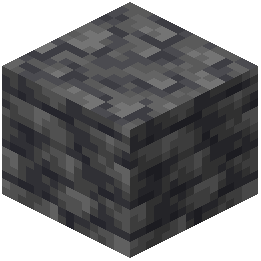 deepslate for masonry) and combine blocks with similar real-world materials to create cohesive structures. Pair this with a shader that provides strong shadows and lighting to emphasize the 3D depth of the heightmaps.
deepslate for masonry) and combine blocks with similar real-world materials to create cohesive structures. Pair this with a shader that provides strong shadows and lighting to emphasize the 3D depth of the heightmaps.Do I need to change my world settings or difficulty for this to work?
No, this is purely a visual resource pack and doesn't affect gameplay, difficulty, or world generation—it works identically on any world or difficulty setting.
Why do some blocks look different than I expected?
The pack prioritizes photorealism over color accuracy, so blocks may appear darker or with different tones than vanilla to match real-world materials—this is intentional and looks most impressive with shader lighting. If you want to adjust specific colors, you can edit the texture files in the pack folder.