
Ultimate Realism Pack Resource Pack FAQ
10 questions players actually ask, answered.
Do I need shaders to use this pack?
No, the pack works standalone and looks great on its own with vanilla lighting. However, pairing it with shaders dramatically improves the visual impact by adding realistic shadows, reflections, and lighting that complement the detailed textures.
Will this pack work with my current world?
Yes, it's a resource pack so it applies to any existing world without changing gameplay or blocks. Simply enable it in your resource pack menu and it will immediately replace all textures.
How much will this affect my FPS?
The pack is optimized to minimize performance impact despite the high resolution, but you may see a slight FPS drop depending on your GPU. If performance suffers, try disabling shaders, lowering render distance, or reducing other graphics settings.
Can I use this with other resource packs?
You can stack multiple packs, but only the topmost pack in your list will show its textures for overlapping blocks. Place Ultimate Realism Pack at the top if you want its textures to take priority.
Why do my grass and leaves look different colors in different biomes?
The pack preserves Minecraft's biome tinting system, so grass and foliage automatically shift color based on temperature and humidity—this is intentional and makes biomes feel more distinct.
Do the ores look different enough to identify them easily?
Yes, each ore type including 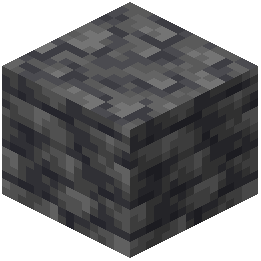 deepslate variants has distinct photorealistic textures that make them recognizable at a glance, especially valuable ores like diamond and emerald which have shiny, detailed appearances.
deepslate variants has distinct photorealistic textures that make them recognizable at a glance, especially valuable ores like diamond and emerald which have shiny, detailed appearances.What if some textures look blurry or pixelated?
Make sure you're using a GPU that supports high-resolution textures and check that your Minecraft graphics settings are set to high or ultra. If issues persist, try pairing the pack with a shader that includes texture filtering.
Will this pack work with mods that add new blocks?
The pack only retextures vanilla blocks, so new blocks from mods will keep their default appearance unless the mod author creates textures compatible with this pack.
How do I get the best results when building with this pack?
Choose materials that complement each other in real life—for example, pair realistic brick with stone rather than mismatched textures. The high resolution makes material choices more noticeable, so cohesive building looks significantly better.
Does this pack include connected textures or special effects?
No, the pack focuses on flat high-resolution textures without PBR maps or connected texture features, keeping file sizes smaller while maintaining incredible detail through photography-quality images.