
Tiny Redstone Wiki › FAQ
Tiny Redstone FAQ
20 questions players actually ask, answered.
How do I get started with Tiny Redstone?
Craft  Silicon Compound, smelt or process it into
  Silicon, then use Silicon to craft the
  Redstone Wrench and your first Tiny Redstone components. The Redstone Wrench is your main tool for placing, rotating, and configuring tiny components, so make it early.
Silicon Compound, smelt or process it into Silicon, then use Silicon to craft the Redstone Wrench and your first Tiny Redstone components. The Redstone Wrench is your main tool for placing, rotating, and configuring tiny components, so make it early.How do I place  Tiny Redstone dust?
Hold Tiny Redstone Dust and right-click on a surface to place it; it occupies a fraction of a block instead of a full block space. Use the Redstone Wrench to rotate or adjust connections between dust and components.
Tiny Redstone Dust and right-click on a surface to place it; it occupies a fraction of a block instead of a full block space. Use the Redstone Wrench to rotate or adjust connections between dust and components.Why isn't my Tiny Redstone dust connecting to other components?
Tiny components only connect on the faces they're oriented toward, so you likely need to rotate them with the Redstone Wrench. Check that the dust is actually pointing at the input face of the component rather than sitting beside it.
Redstone Wrench. Check that the dust is actually pointing at the input face of the component rather than sitting beside it.What is the Redstone Wrench used for?
The Redstone Wrench rotates tiny components, changes their facing, and lets you edit connections without breaking and replacing them. Right-click a placed tiny block with it to cycle through orientations or open its configuration.
Redstone Wrench rotates tiny components, changes their facing, and lets you edit connections without breaking and replacing them. Right-click a placed tiny block with it to cycle through orientations or open its configuration.How do Redstone Panels and Covers work?
 Redstone Panels act as a mounting surface so you can attach tiny components to walls, ceilings, or compact areas instead of open ground. Panel Covers (Light, Dark, and Trimming) hide the panel's appearance so your build looks clean while the circuit still functions.
Can I build logic gates like AND, OR, and NOT with Tiny Redstone?
Yes —  Tiny Redstone Torches, Repeaters, Comparators, and Dust can be arranged into standard redstone logic gates in a much smaller footprint. The
  Tiny Super Repeater helps when you need a longer delay or stronger signal in a compact gate.
Tiny Redstone Torches, Repeaters, Comparators, and Dust can be arranged into standard redstone logic gates in a much smaller footprint. The Tiny Super Repeater helps when you need a longer delay or stronger signal in a compact gate.What does the  Tiny Redstone Blueprint do?
The Tiny Redstone Blueprint lets you copy and paste arrangements of tiny components so you can duplicate a circuit without rebuilding it by hand. Use it to save a working layout, then place the copy elsewhere.
Tiny Redstone Blueprint lets you copy and paste arrangements of tiny components so you can duplicate a circuit without rebuilding it by hand. Use it to save a working layout, then place the copy elsewhere.How do Tiny Pistons, Observers, and Note Blocks behave differently from normal ones?
They function like their full-size counterparts but occupy a fraction of a block, so they fit into tight builds and panels. 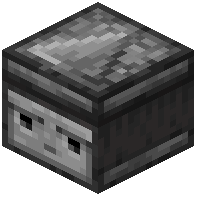 Tiny Observers still detect block updates in front of them, and Tiny Note Blocks still play notes when powered.
Tiny Observers still detect block updates in front of them, and Tiny Note Blocks still play notes when powered.My tiny circuit isn't working — what are common mistakes?
The most common issues are components facing the wrong direction, dust not actually touching an input face, and forgetting that tiny components need to be powered on the correct side. Rotate each piece with the Redstone Wrench and trace the signal path one component at a time.
Redstone Wrench and trace the signal path one component at a time.Does Tiny Redstone cause lag or conflict with other redstone mods?
Tiny components update like normal redstone, so very large compact circuits can still cause lag if they tick constantly. It generally coexists with other redstone mods, but if two mods both modify redstone behavior you may see odd interactions — test in a small build first.
What does the Tiny Redstone Mod do?
Tiny Redstone adds tiny redstone pieces that you can put together to form tiny redstone circuits. These circuits can be copied onto blueprints and shared inside and outside your Minecraft world.
What items and blocks does Tiny Redstone add?
It adds tiny versions of redstone components like dust, torches, repeaters, comparators, pistons, levers, buttons, and observers, along with blocks like the redstone panel,  tiny solid block, and
  tiny transparent block. It also adds items such as silicon, silicon compound, the redstone wrench, and the tiny redstone blueprint.
redstone panel, tiny solid block, and tiny transparent block. It also adds items such as silicon, silicon compound, the redstone wrench, and the tiny redstone blueprint.What Minecraft versions does Tiny Redstone support?
The Modrinth project page lists Minecraft versions 1.21.1, 26.1, 26.1.1, 26.1.2, 26.2, and 26.3.
What mod loaders does Tiny Redstone work with?
Tiny Redstone is listed for the forge and neoforge loaders.
Do I need a Redstone Panel to build circuits?
Tiny Redstone components can be placed anywhere, but there are advantages to using a Redstone Panel. Panels can be rotated, can be placed in any orientation, and insulate your circuit from the neighboring block.
Redstone Panel. Panels can be rotated, can be placed in any orientation, and insulate your circuit from the neighboring block.How do I rotate or move a Tiny Redstone circuit?
Right click with a Redstone Wrench to rotate the panel. You can pick up the circuit with all its components and circuitry intact by shift-right clicking it with a Redstone Wrench, or simply use a pick or your bare hands.
Redstone Wrench to rotate the panel. You can pick up the circuit with all its components and circuitry intact by shift-right clicking it with a Redstone Wrench, or simply use a pick or your bare hands.How do I remove Tiny Redstone components?
Left click with a component or Redstone Wrench in your hand to remove them.
Redstone Wrench in your hand to remove them.Can I copy and share Tiny Redstone circuits?
Yes, circuits can be copied onto blueprints and shared inside and outside your Minecraft world using the tiny redstone blueprint.
tiny redstone blueprint.Can I dye or camouflage Tiny Redstone panels?
Yes, you can dye and camouflage panels to match your build, and the mod includes a  color selector along with dark and
  light panel covers.
color selector along with dark and light panel covers.Are there add-on mods for Tiny Redstone?
Yes, the author lists  Tiny Gates, Tiny Pipes, Ranged Wireless Redstone, and TinyCreate as add-on mods that extend Tiny Redstone beyond vanilla.
Tiny Gates, Tiny Pipes, Ranged Wireless Redstone, and TinyCreate as add-on mods that extend Tiny Redstone beyond vanilla.