
Simple Radio Wiki › FAQ
Simple Radio FAQ
10 questions players actually ask, answered.
How do I start using Simple  Radio Mod?
First, craft a handheld radio or build radio blocks (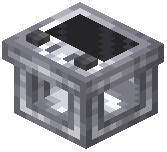 transmitter and
 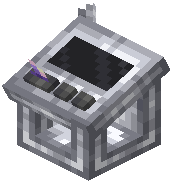 receiver). Tune both devices to the same frequency using the
 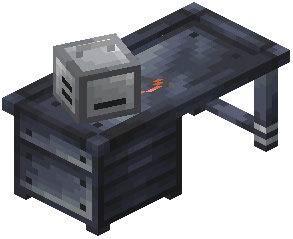 Radiosmithing Station, then place a
 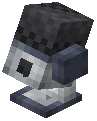 microphone block near the transmitter to pick up nearby voices. The receiver block will play audio from that frequency within its range.
transmitter and receiver). Tune both devices to the same frequency using the Radiosmithing Station, then place a microphone block near the transmitter to pick up nearby voices. The receiver block will play audio from that frequency within its range.What's the difference between FM and AM transmission?
FM and AM are transmission types you can choose at the Radiosmithing Station, each with different characteristics. The mod description indicates they have distinct advantages, but the choice depends on your setup and communication needs.
Radiosmithing Station, each with different characteristics. The mod description indicates they have distinct advantages, but the choice depends on your setup and communication needs.Why is my radio not picking up any sound?
Make sure your transmitter and receiver are tuned to the same frequency, a microphone block is placed near the transmitter to capture voices, and both devices have adequate range (use antennas to extend it). Check that players are actually speaking near the microphone block.
transmitter and receiver are tuned to the same frequency, a microphone block is placed near the transmitter to capture voices, and both devices have adequate range (use antennas to extend it). Check that players are actually speaking near the microphone block.How do antennas work?
Attach an  antenna to your radio blocks to increase their signal range. A larger or better antenna will let you communicate over greater distances before audio quality degrades.
antenna to your radio blocks to increase their signal range. A larger or better antenna will let you communicate over greater distances before audio quality degrades.Does audio quality really get worse at distance?
Yes, audio quality changes dynamically based on how far you are from the signal source. The farther away you move, the less clear the transmission becomes, creating a realistic communication experience.
Can I use Simple Radio Mod without Simple Voice Chat?
No, Simple Radio Mod is an addon that extends Simple Voice Chat, so you need Simple Voice Chat installed and working first for the radio system to function.
Radio Mod is an addon that extends Simple Voice Chat, so you need Simple Voice Chat installed and working first for the radio system to function.What do I use the Radiosmithing Station for?
The Radiosmithing Station is where you customize your radios by setting frequencies, choosing between FM and AM transmission types, and configuring other radio properties.
Radiosmithing Station is where you customize your radios by setting frequencies, choosing between FM and AM transmission types, and configuring other radio properties.Can multiple groups use different frequencies on the same server?
Yes, you can create a multi-frequency radio network by setting up multiple transmitter/receiver pairs on different frequencies, allowing different groups to communicate separately across your base or server.
radio network by setting up multiple transmitter/receiver pairs on different frequencies, allowing different groups to communicate separately across your base or server.Do I need  copper wire to set up radios?
Copper wire is a crafting component in Simple Radio Mod, so you'll need it to craft certain radio items and blocks. Check the crafting recipes section of the wiki for specific recipes.