
Refined Mosaic Blocks FAQ
10 questions players actually ask, answered.
How do I make my first 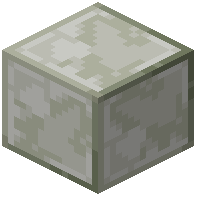 mosaic block?
Craft a blank mosaic block by combining diorite and glass in a crafting grid, then place it in a stonecutter to choose one of the 16 available patterns.
mosaic block by combining diorite and glass in a crafting grid, then place it in a stonecutter to choose one of the 16 available patterns.What happens if I right-click a mosaic tile with dye multiple times?
Each right-click has a dye consumption chance (default 20%) that you can adjust in gamerules from 0% to 100%, so repeated clicks may or may not consume dye depending on your settings.
Can I rotate mosaic patterns after placing them?
Yes, hold Shift and left-click the placed block with an empty hand to rotate its pattern.
How do I remove dye from mosaic tiles?
Place a wet sponge next to dyed tiles, or push one with a piston to clear the color from adjacent blocks.
Do comparators work with mosaic blocks?
Yes, comparators read placed tiles and output distinct redstone signal strengths based on the block's color, letting you use them for redstone contraptions.
What's the difference between using this mod with and without Dye Depot?
Playing alongside Dye Depot adds extra shade options beyond the standard 16 dyes, giving you more color variety for your designs.
Can I use mosaic blocks with Clutter No More?
Yes, the mod includes integration with Clutter No More for seamless compatibility.
What dyes can I use to color mosaic tiles?
You can use any standard Minecraft dye by right-clicking placed tiles with it; the mod supports all 16 base dyes and additional shades if Dye Depot is installed.
Can I change a mosaic pattern after I've already dyed it?
No, you must choose your pattern in the stonecutter before placing the block; once placed and dyed, you cannot change the pattern without replacing the block.
Do mosaic blocks work in multiplayer servers?
Yes, mosaic blocks function normally in multiplayer, though the mod must be installed on the server for all players to see the blocks and their colors correctly.