
Refined Masonry Details Resource Pack FAQ
10 questions players actually ask, answered.
Do I need to install anything else to use this resource pack?
No, Refined Masonry Details is a resource pack only—it works standalone in any vanilla Minecraft world without mods. Just activate it in your resource pack settings and it applies immediately to all supported brick blocks.
Will this pack work with my existing world or do I need a new one?
It works with existing worlds instantly since it only changes textures, not block data or structure. Any brick blocks you've already placed will display the new top and side textures as soon as the pack loads.
Why do my brick pillars still look flat on top?
Make sure the resource pack is enabled and ranked above any conflicting packs in your resource pack list. If another pack is loaded after it, that pack's textures will override the refined masonry details.
Does this work with modded brick blocks or only vanilla ones?
Refined Masonry Details only retextures the 39 vanilla brick types listed in the pack description. Modded brick blocks won't be affected unless a separate patch is created for them.
Can I use this pack with other texture packs at the same time?
Yes, but pack load order matters—place Refined Masonry Details above any other packs that modify brick textures so its textures take priority. If another pack is ranked higher, it will override the masonry details.
Do brick walls look different too or just the full blocks?
Brick walls are included and updated to connect cleanly with the new top and side textures, so wall structures maintain the refined masonry look.
Will this pack affect my FPS or performance?
No, resource packs don't impact performance—they only change how blocks look. Your frame rate will be the same as vanilla Minecraft.
How do I make brick pillars look good with these textures?
Stack brick blocks vertically so the distinct top texture shows between each layer, creating a natural column effect. The separate top and side textures automatically make pillars look more structured and less flat.
Which brick type should I use for pathways and floors?
Any brick type works, but standard 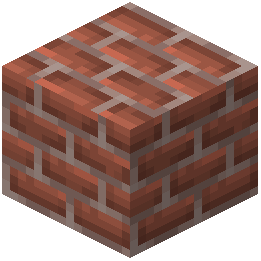 bricks,
 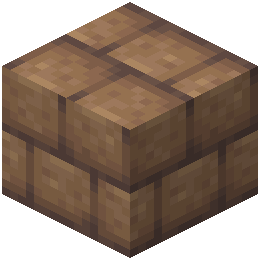 mud bricks, and stone bricks are popular for floors since their updated top textures look clean when placed horizontally. Choose based on your build's color scheme and aesthetic.
bricks, mud bricks, and stone bricks are popular for floors since their updated top textures look clean when placed horizontally. Choose based on your build's color scheme and aesthetic.Can I disable the pack for specific brick types?
No, the pack applies to all 39 supported brick types at once. If you want to use only certain brick textures, you'd need to create a custom resource pack based on this one.