
Nemos Woodcutter Wiki › FAQ
Nemos Woodcutter FAQ
10 questions players actually ask, answered.
How do I craft a 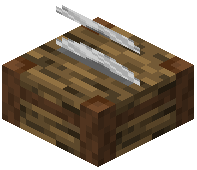 Woodcutter?
Refer to the Crafting Recipes section on the wiki for the exact materials needed. Once crafted, place it like any other block and right-click to open the interface.
Can I use the Woodcutter with any type of wood?
Yes, the Woodcutter works with all wood types in Minecraft. Simply insert a log and the available recipes will update to show what you can craft from that specific wood type.
Woodcutter works with all wood types in Minecraft. Simply insert a log and the available recipes will update to show what you can craft from that specific wood type.Do I need to manually input logs every time?
No—you can automate wood input using hoppers connected to the top of the Woodcutter, as covered in the Automate Wood Processing with Hoppers guide.
Woodcutter, as covered in the Automate Wood Processing with Hoppers guide.What outputs can the Woodcutter produce?
The Woodcutter converts logs into planks, slabs, stairs, fences, and other wooden components. The exact list of recipes depends on your Minecraft version and any other mods installed.
Woodcutter converts logs into planks, slabs, stairs, fences, and other wooden components. The exact list of recipes depends on your Minecraft version and any other mods installed.Is the Woodcutter faster than crafting by hand?
The Woodcutter is primarily a convenience tool that keeps your crafting grid clear and displays recipes dynamically—refer to the Set Up Your First Woodcutter guide for efficiency tips.
Woodcutter is primarily a convenience tool that keeps your crafting grid clear and displays recipes dynamically—refer to the Set Up Your First Woodcutter guide for efficiency tips.Can I pull outputs from the Woodcutter with hoppers?
Yes, hoppers can extract finished items from the output side of the Woodcutter, allowing for fully automated wood processing chains.
Woodcutter, allowing for fully automated wood processing chains.Does the Woodcutter work with modded wood types?
Compatibility depends on how the modded wood is registered; most common wood mods should work, but check the mod's documentation or community forums if you encounter issues.
What's the best way to process large amounts of wood for a building project?
Set up multiple Woodcutters with hopper chains feeding different wood types, as explained in the Batch Process Multiple Wood Types and Maximize Output for Building Projects guides.
Does the Woodcutter require power or fuel?
No, the Woodcutter operates without power or fuel—it functions as a passive workstation like the Stonecutter.
Woodcutter operates without power or fuel—it functions as a passive workstation like the Stonecutter.