
Mtr Japan Ticket Wiki › FAQ
Mtr Japan Ticket FAQ
10 questions players actually ask, answered.
How do I start setting up tickets for my transit line?
Place a 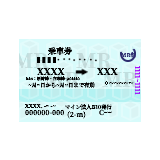 ticket machine block, hold the setup
  wrench, and Sneak + Right Click it to open the configuration screen. Create a network preset, add your railway line, then add each station stop in order and set fares between station pairs.
ticket machine block, hold the setup wrench, and Sneak + Right Click it to open the configuration screen. Create a network preset, add your railway line, then add each station stop in order and set fares between station pairs.What's the difference between entry and exit gates?
Entry gates read your ticket, open the barrier, and return the ticket to you so you can use it again. Exit gates validate you've arrived at the correct station, open the barrier, and permanently collect single-use tickets.
ticket, open the barrier, and return the ticket to you so you can use it again. Exit gates validate you've arrived at the correct station, open the barrier, and permanently collect single-use tickets.Do smart cards work on multiple lines or just one?
Smart IC cards are stored-value cards that work across your entire network—they automatically calculate and deduct the correct fare when you tap in and out at any 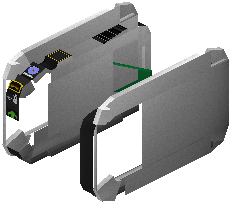 gate, regardless of which line you're traveling.
gate, regardless of which line you're traveling.How do transfer gates work and when do I need them?
Transfer gates check that you're switching between lines in the exact order your ticket allows. Place them at stations where passengers change from one railway line to another to validate multi-line journeys.
ticket allows. Place them at stations where passengers change from one railway line to another to validate multi-line journeys.Can I set different fares for express or bullet trains?
Yes—express tickets have extra fare multipliers applied to them. When configuring your fare table between station pairs, you can set higher prices for express routes compared to standard service.
What happens if I use the wrong ticket at a gate?
The gate will not open and you'll hear an error sound effect. Make sure your ticket is valid for that station pair and that you're using the correct gate type (IC gates only accept smart cards, for example).
gate will not open and you'll hear an error sound effect. Make sure your ticket is valid for that station pair and that you're using the correct gate type (IC gates only accept smart cards, for example).Can commuter passes be used by multiple players or just one?
Commuter passes grant unlimited travel between selected stations for a set duration to whoever holds them. The mod doesn't restrict who can use a pass, so you can share them or set up passes for different player groups.
Do I need to configure each gate individually or can I copy settings?
You configure each gate individually using the setup wrench with Sneak + Right Click to assign its line and station mode, but once you've set up your fare table in the ticket machine, all gates on that line will use the same pricing.
gate individually using the setup wrench with Sneak + Right Click to assign its line and station mode, but once you've set up your fare table in the ticket machine, all gates on that line will use the same pricing.Will this mod work on my existing MTR server or do I need to rebuild?
The mod works with both MTR3 and MTR4 on single-player worlds and multiplayer servers. You don't need to rebuild—just place ticket machines and gates at your existing stations and configure them with the setup wrench.
ticket machines and gates at your existing stations and configure them with the setup wrench.Can station operators broadcast messages to players about delays or promotions?
Yes—use the notice tool to send announcements and promotional deals to player phones. This is useful for informing travelers about service changes or special 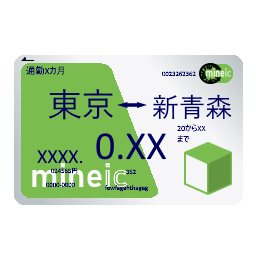 commuter pass offers.
commuter pass offers.