
Mossys Better Dirt Resource Pack FAQ
10 questions players actually ask, answered.
Do I need to restart my world to see the new dirt textures?
No, the textures will apply immediately once the resource pack is activated in your world settings. If you don't see changes right away, try pressing F3+A to reload chunks, or move to a new area and return.
Will this pack work with other resource packs?
Yes, but pack order matters. Place Mossy's Better Dirt Resource Pack higher in your resource pack list than other packs if you want its dirt textures to take priority, or lower if you prefer another pack's dirt style to override it.
Why do my dirt blocks still look vanilla?
Make sure the pack is actually enabled in your world's resource pack settings—it should appear in the 'Selected' column, not the 'Available' list. Also verify you're looking at the correct blocks: the pack updates dirt, 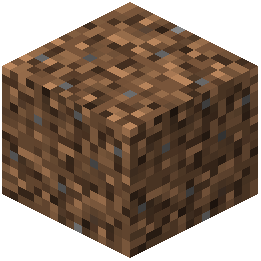 coarse dirt,
 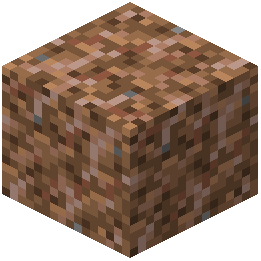 rooted dirt,
 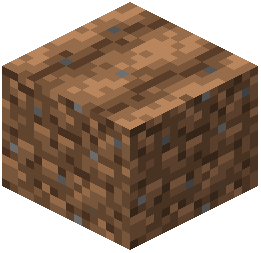 farmland, dirt paths, grass, snowy grass, podzol, and mycelium.
coarse dirt, rooted dirt, farmland, dirt paths, grass, snowy grass, podzol, and mycelium.Does this affect performance or FPS?
No, this is a pure texture pack with no code changes, so it has no impact on performance or frame rate.
Can I use this with Optifine or shader packs?
Yes, the pack works alongside Optifine and most shader packs. If textures look wrong with a specific shader, try disabling custom colors or texture filtering in your shader settings.
What's the difference between the dirt sides and grass sides?
The pack improves the exposed sides of grass blocks, snowy grass, podzol, and mycelium to look cleaner and more detailed, while also updating the dirt block textures themselves for consistency across your landscape.
Will this work in creative mode and survival mode?
Yes, the texture changes apply in both modes since they're purely visual and don't affect gameplay mechanics.
Do I need to update the pack when Minecraft updates?
Only if Minecraft adds new dirt-related blocks or changes the texture format. Check the mod's page for compatibility notes with your Minecraft version.
Can I combine this with a total overhaul pack like Faithful?
Yes, but you'll need to decide which pack's dirt textures you prefer and order them accordingly in your resource pack list. The lower pack in the list will be overridden by the one above it.
Why do dirt paths look different from regular dirt?
Dirt paths are a separate block with their own texture, and this pack updates them to match the improved dirt aesthetic while maintaining their distinctive appearance as a crafted variant.