
Mine Coasters Wiki › FAQ
Mine Coasters FAQ
10 questions players actually ask, answered.
How do I start building a roller coaster?
Check your inventory for the illustrated manual when you spawn—it explains all the tools. Place anchor points on the ground where you want your track to go, then use the wrench tool to connect them and form the track path.
What's the difference between the  Element Placer and building tracks manually?
The Element Placer instantly drops in pre-made elements like loops, corkscrews, and stations so you don't have to build them from scratch. Manual building with anchor points and the wrench gives you complete freedom to design custom shapes.
Element Placer instantly drops in pre-made elements like loops, corkscrews, and stations so you don't have to build them from scratch. Manual building with anchor points and the wrench gives you complete freedom to design custom shapes.How do I make my carts go faster?
Use chain lifts or magnetic launches powered by redstone dust to push carts up hills or accelerate them along the track. Gravity and momentum do the rest—higher drops and longer slopes naturally speed up your carts.
Can I flip a track upside down so carts hang underneath?
Yes, the mod lets you flip any track section so carts can safely hang from the underside, which is great for inverted loops and hanging sections.
How do I build a log flume or water ride?
Create a water ride track using the same anchor and wrench tools, then place water on the track to create the flume effect. Check the water ride guide for details on setting up big drops and splashes.
What do I use the 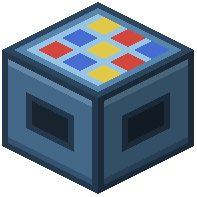 Cart Workstation for?
The Cart Workstation is where you design and paint your own custom roller coaster cars block-by-block using the in-game voxel editor, so every ride can look unique.
Cart Workstation is where you design and paint your own custom roller coaster cars block-by-block using the in-game voxel editor, so every ride can look unique.How do I know if my coaster is running smoothly?
Use the tablet tool to track ride stats like top speed, airtime, and G-forces while testing. The mod also automatically smooths out bumpy tracks and banks your turns to help optimize the ride.
Can I take photos of riders on my coaster?
Yes, place redstone-triggered cameras along your track to snap photos of riders during the trip, which you can view later.
Does this mod work on multiplayer servers?
Yes, the physics run smoothly on multiplayer servers so all players can ride together without lag or desync issues.
What are the special track machines and when should I use them?
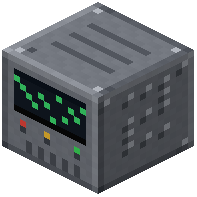 Switch Track moves trains between different paths,
 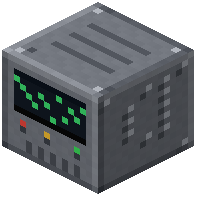 Drop Track sends carts straight down,
 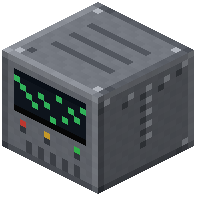 Tilt Track tips the track after holding it flat, and Turntable spins trains to face a new direction—use them to add variety and excitement to your coaster layout.