
Mining in Caves and Navigating the Nether
Spotting Crisp Ore Blocks Underground
When mining or caving, dark environments and rough  stone patterns can make resource gathering tiring on the eyes. Smooth Craft cleans up cave materials while keeping ore blocks distinct.
1. Bring standard light sources into caves to illuminate the smoothed stone variants along the walls and ceiling.
2. Scan the clean cave surfaces for ores; the pack renders ore blocks with crisp surface details that stand out clearly against the simplified surrounding stone.
3. Check your inventory as you mine—updated, simplified item sprites make it easy to sort raw materials, tools, and stone variants at a glance inside the refreshed user interface.
Improving Visibility in the Nether
The Nether is normally filled with high-contrast, noisy textures that make navigation difficult. Smooth Craft overhauls this dimension to make long-distance travel and building much clearer.
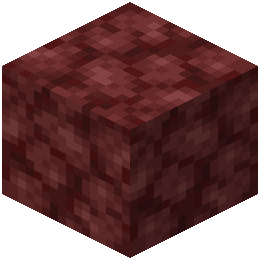 Netherrack Terrain: Cleaned netherrack blocks remove the harsh visual static across floors and walls, making it easier to see ledges, drops, and tunnels.
- Lava Hazards: Simplified lava textures give lava lakes and flowing falls a smooth, uniform surface. This clean contrast between smoothed netherrack and simplified lava helps you quickly judge safe walking paths and bridge placements.