
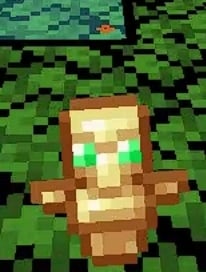
 DownloadSmall Totem Pop Resource Pack
Get the files on 9Minecraft
Contents (3)
The problem in fights
In PvP, a totem pop is a moment of chaos. You take lethal damage, the totem saves you, and vanilla throws a big animation right over your crosshair. In a duel or a team fight, that animation can hide the opponent's next swing, a projectile, or a gap you needed to run through. When multiple totems pop in a short window, the screen can feel like it is strobing.
How to play around the smaller animation
1. Keep the pack enabled whenever you queue into PvP, since the benefit only exists while it is active.
2. After a totem pops, use the fact that your view is now clear to immediately re-acquire your target. Look for the opponent's position and health rather than reacting to the animation itself.
3. Treat the pop as a cue to reset spacing. Because the effect no longer  blocks the center, you can back off or push in without waiting for the animation to finish.
4. In multi-totem fights, chain your decisions — heal, reposition, re-engage — instead of pausing to let the visual clear.
Stacking with other clarity packs
This pack only touches the totem pop animation, so it pairs cleanly with packs that reduce other screen clutter. If you run several packs, keep this one high in the load order so its totem texture wins.


