
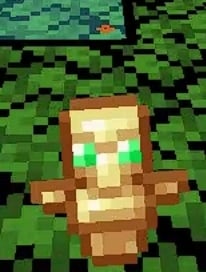
 DownloadSmall Totem Pop Resource Pack
Get the files on 9Minecraft
Why the change sometimes does not show
Resource packs that edit the same texture conflict. The totem pop animation uses a specific texture file, and if two enabled packs both replace it, only the higher one in your list takes effect. If you installed this pack but still see the large vanilla-style pop, a conflicting pack is almost certainly winning.
Resolving the conflict
1. Open your resource pack screen and look at the enabled list from top to bottom.
2. Find any pack that also changes totem-related visuals, HUD elements, or general particle/animation textures.
3. Drag the Small Totem Pop pack above those packs.
4. Apply the changes and reload by leaving and re-entering the world, or by pressing the reload keybind if your setup supports it.
5. Test a totem save again in a safe world.
If it still looks wrong
Temporarily disable every other pack except this one and trigger a totem save. If the small, lowered animation appears, re-enable your other packs one at a time until the animation reverts — the last pack you enabled is the conflict. Keep this pack above it, or remove the conflicting pack if you do not need it. Also check that you are not running a mod that replaces the totem animation independently of resource packs, since that would override the pack entirely.


