
Purebdcraft New 256X Resource Pack FAQ
16 questions players actually ask, answered.
How do I activate PureBDcraft New 256x Resource Pack in Minecraft?
Drop the pack archive into your Minecraft resourcepacks folder, open Options followed by Resource Packs, and move PureBDcraft New 256x Resource Pack into the Selected list. Place it at the very top so no other pack overrides its textures or UI, then click Done and wait for assets to reload.
Why does Minecraft take longer to load after enabling PureBDcraft New 256x?
Because the pack repaints hundreds of blocks, items, creatures, skies, and UI menus in high-definition 256x artwork alongside custom Minecraft block models, reloading takes noticeably longer than with default textures. Let the loading screen finish naturally instead of closing the window early so every texture atlas builds completely.
What should I adjust if the 256x textures cause lag or stuttering?
Increase your Java memory allocation in the Minecraft launcher settings so the client can hold the high-definition 256x texture atlas comfortably without hitching. Inside Options > Video Settings, slightly lowering render distance, simulation distance, and mipmap levels helps smooth out frame pacing while keeping close-up hand-painted details crisp.
How does PureBDcraft New 256x change the visual style of Minecraft?
The pack transforms the entire game into a living hand-drawn comic book from the ground to the sky, redrawing grass, trees, water, blocks, mobs, and items with bold outlines and hand-painted shading. It also sprinkles small geeky references and playful hidden details across textures for you to spot while playing.
Does PureBDcraft New 256x add 3D shapes to blocks and items?
Yes, the pack uses Minecraft's built-in model system to give blocks and items extra physical shape beyond flat surface textures. Workstations and decorative blocks such as the Anvil,  Beacon, Bell,
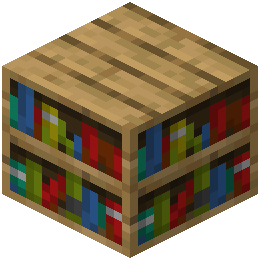 Bookshelf,
 Brewing Stand, and
 Amethyst Cluster gain added depth that makes interiors and courtyards look much more detailed.
Beacon, Bell, Bookshelf, Brewing Stand, and Amethyst Cluster gain added depth that makes interiors and courtyards look much more detailed.Does this resource pack change the Minecraft UI and inventory menus?
Yes, PureBDcraft New 256x revamps the game's UI so title screens, inventory menus, hotbars, and crafting interfaces match the hand-drawn comic book style. If the bold comic borders look too large or cramped on your display, cycle GUI Scale inside Options > Video Settings until every slot stays easy to read.
How does PureBDcraft New 256x redesign vanilla Minecraft mobs?
The pack changes every mob in the game into a funny fantasy-style character drawn in 256x comic detail. Scary mobs are intentionally given silly designs so meeting them in dark caves or at night feels far less frightening, while keeping all standard vanilla combat behavior and hitboxes unchanged.
Do the silly mob redesigns change mob damage or survival difficulty?
No, PureBDcraft New 256x is purely a visual resource pack and does not modify mob health, attack damage, or AI behavior. Take a moment to look at mobs in daylight or a Creative test world first so you immediately recognize each funny redesign and never let your guard down during survival combat.
Where can I spot the geeky references hidden inside PureBDcraft New 256x?
Small geeky references and playful visual details are tucked into redrawn blocks, items, and creatures throughout the world. Look closely at decorative items like Bookshelf spines, Banner Pattern designs,  Book and Quill icons, Pottery Sherds, mineral blocks, and character outfits on fantasy-styled mobs while exploring your base.
Bookshelf spines, Banner Pattern designs, Book and Quill icons, Pottery Sherds, mineral blocks, and character outfits on fantasy-styled mobs while exploring your base.Can I use PureBDcraft New 256x together with shader packs?
Yes, you can pair PureBDcraft New 256x with shaders using a shader loader such as Iris or OptiFine, though combining 256x textures and custom block models with dynamic shadows demands extra graphics power. Lower shadow quality or render distance in Video Settings if frames drop, and disable conflicting shader sky overrides so the comic sky stays visible.
How should I order PureBDcraft New 256x when stacking other resource packs?
Minecraft loads active resource packs from top to bottom inside Options > Resource Packs, giving higher entries priority over overlapping files. Keep PureBDcraft New 256x at the top whenever you want its full comic terrain, revamped UI, and custom block models intact, placing another pack above it only for targeted tweaks like sounds or crosshairs.
Why do some blocks look vanilla next to comic blocks in my world?
Mixed vanilla and comic blocks usually happen when another general texture pack is sitting higher than PureBDcraft New 256x in your Selected Resource Packs list, overriding part of the pack. Move PureBDcraft to the very top, remove competing terrain or mob packs, and click Done to reload cleanly.
Does PureBDcraft New 256x cover newer blocks like  Bamboo, Pottery Sherds, and Breeze Rods?
Yes, the pack repaints a vast catalog of blocks and items including Bamboo Planks, Bamboo Mosaic, Bamboo Raft, Amethyst Cluster, 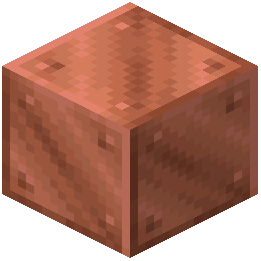 Block of Copper,
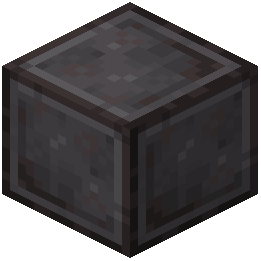 Block of Netherite, Breeze Rod, Brush,
 Armadillo Scute, and multiple Pottery Sherds. All of them share the same bold comic outlines and 256x hand-painted shading for a cohesive world.
Amethyst Cluster, Block of Copper, Block of Netherite, Breeze Rod, Brush, Armadillo Scute, and multiple Pottery Sherds. All of them share the same bold comic outlines and 256x hand-painted shading for a cohesive world.Does PureBDcraft New 256x work on multiplayer servers without server installation?
Yes, resource packs run strictly client-side, so you can enable PureBDcraft New 256x and join any multiplayer server or realm without asking the host to install anything. You will see the full 256x comic world, revamped UI, and funny fantasy mobs locally while other players see their own packs.
Why are my inventory icons looking different for items like Blaze Rods or fish buckets?
PureBDcraft redraws every vanilla item in 256x hand-painted comic style, giving closely related pickups like Blaze Rod,  Breeze Rod, and aquatic buckets such as
 Bucket of Axolotl,
 Bucket of Cod, and
 Bucket of Tadpole bold, distinct illustrations. Grouping items into color-coded Shulker Boxes with wooden signs makes adjusting to the new icons fast.
Breeze Rod, and aquatic buckets such as Bucket of Axolotl, Bucket of Cod, and Bucket of Tadpole bold, distinct illustrations. Grouping items into color-coded Shulker Boxes with wooden signs makes adjusting to the new icons fast.Can I switch back to default vanilla textures anytime without harming my world?
Yes, because PureBDcraft New 256x only changes textures, custom block and item models, and UI artwork without adding modded blocks or changing world saves, disabling it is completely safe. Simply open Options > Resource Packs, move the pack out of the Selected column, and click Done to restore default visuals immediately.