

 Download3D Default Resource Pack
Get the files on 9Minecraft
Players often install the pack and then wonder why their diamond sword or furnace still looks flat. The pack only redraws a specific selection of vanilla models, so knowing the list saves you from thinking it is broken.
The covered models
On the block side, the pack gives depth to the  rail family: Rail,
 Powered Rail,
 Activator Rail, and
 Detector Rail, plus the
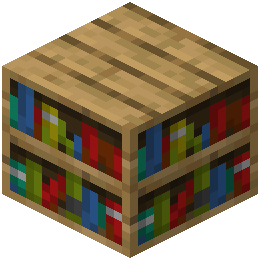 Bookshelf and the
 Bamboo Fence Gate. On the item side it covers
 Potion,
 Honey Bottle, and Dragon's Breath. These are the models you should expect to see change.
What stays flat
Anything not in that list keeps its vanilla appearance. Stone, ores, tools, armor, and most decorative blocks are unaffected. This is expected behavior, not a bug, so do not reinstall the pack chasing a change that was never included.
Verify a specific model
Hold a Potion or Honey Bottle in your hand and rotate it in the inventory or via the item frame. A true 3D model shows thickness and a distinct silhouette as it turns. For blocks, place the rail or bookshelf and walk around it; a flat texture looks identical from every side, while a 3D model reveals different faces. If a listed model still looks flat, check for a conflicting pack above it in the Resource Packs list.