

What this pack changes
Every texture group the pack replaces, counted from the pack itself.
| Area | Textures replaced |
|---|---|
| GUI & menus | 362 |
| Font | 224 |
| Particles | 54 |
| Items | 38 |
| Blocks | 23 |
| Mobs & entities | 13 |
| Misc | 4 |
| Sky & weather | 3 |
Pack format 75 (Minecraft 1.21.9)721 texture files in total
Extra features
Custom font
Custom block/item models
Reworked GUI
Guides
Step-by-step, in-game.
How to Activate and Order the Pack for Competitive PlayHow to Build a High-Contrast Practice ArenaHow to Set Up a Monochrome Utility and Gear StationHow to Test and Troubleshoot Animated Combat Textures
Items
A
 Apple
B
 Bottle o' Enchanting
 Bow
D
 Diamond Axe
 Diamond Boots
 Diamond Chestplate
 Diamond Helmet
 Diamond Hoe
 Diamond Leggings
 Diamond Pickaxe
 Diamond Shovel
 Diamond Spear
 Diamond Sword
E
 Elytra
 End Crystal
 Ender Pearl
F
 Firework Rocket
G
 Golden Apple
N
 Netherite Axe
 Netherite Boots
 Netherite Chestplate
 Netherite Helmet
 Netherite Hoe
 Netherite Ingot
 Netherite Leggings
 Netherite Pickaxe
 Netherite Scrap
 Netherite Shovel
 Netherite Sword
S
 Smithing Template
T
 Totem of Undying
 Trident
W
 Water Bucket
Blocks
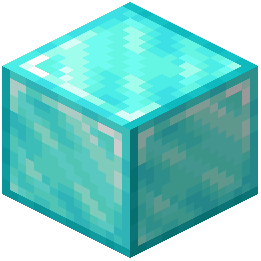 Block of Diamond
 Cobweb
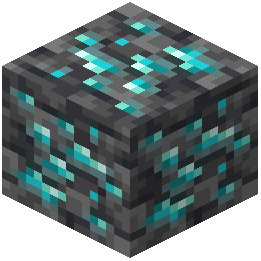 Deepslate Diamond Ore
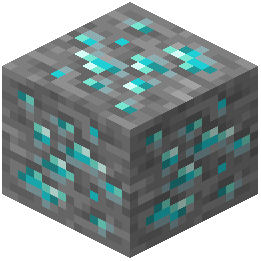 Diamond Ore
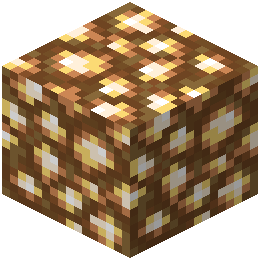 Glowstone
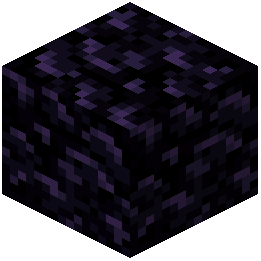 Obsidian
Frequently asked questions
Why are the custom 3D models not showing up when I enable the pack?
Make sure White And Black CPVP Model is placed at the very top of your active resource packs list. If another PvP or visual pack is loaded above it, that pack will override the nineteen custom 3D models and monochrome textures.
How do I see the custom spyglass model?
Put a spyglass in your main hand to view the sleek hand-held 3D model. If it still looks like the default texture, check your resource pack load order to ensure no other pack is overriding held item models.
Why are the animated textures on sculk sensors and vaults frozen?
Check your video settings to ensure terrain and item animations are turned on, especially if you use performance mods that disable animations by default. You also need to run the pack on a game version that natively supports animated textures.
Which blocks have animated textures in this pack?
You can see the custom animated texture effects by placing down calibrated sculk sensors, spore blossoms, or vault blocks. The pack also includes animated textures on select active combat items to provide visual feedback without screen clutter.
What blocks should I use to build a high-contrast practice arena?
Place down cobwebs, end portal frames, heavy cores, and spore blossoms in your arena. These blocks feature updated monochrome structures and high-contrast visuals so you can easily spot traps and obstacles during fights.
Does this pack change the look of utility and crafting stations?
Yes, several utility blocks are redesigned with custom 3D shapes and a black and white palette. You can place down crafters, stonecutters, grindstones, and lecterns to see their remodeled monochrome designs.
Why do cobwebs look different in this pack?
Cobwebs are modified with a high-contrast monochrome appearance to make them clearly visible in arena environments. This helps you quickly spot and avoid movement traps during intense combat.
Does this pack retexture every single block in the game?
No, it specifically updates 727 texture files and alters nineteen distinct 3D models focused on combat items and utility blocks. Unrelated world blocks remain unchanged so that critical combat elements stand out against the environment.
Can I use this pack on multiplayer CPVP servers?
Yes, because it operates entirely from your resourcepacks folder as a client-side visual overhaul. It works on any multiplayer server without needing to be installed on the server itself.
How do I test if all the pack features are working properly?
Load into a creative world, hold a spyglass in your main hand, and place down a heavy core, a grindstone, and a calibrated sculk sensor. This lets you quickly verify that the hand-held 3D models, remodeled utility blocks, and animated textures are all loading correctly.