

If your modded doors still look flat or your walls show harsh grid borders after activating UltimaCraft Modded Model, you can quickly isolate the issue by testing specific blocks and checking your game setup.
Running an In-Game Model Test
1. Load into a world and pull out a jacaranda door, a 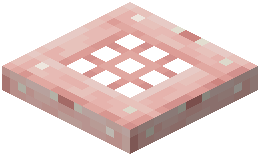 cherry trapdoor, or a fir trapdoor.
2. Place them on the ground and right-click them to toggle between open and closed states.
3. If the blocks do not show clear 3D depth, open Options > Resource Packs and make sure UltimaCraft Modded Model is in the right-hand active column and placed above any other resource packs that might alter modded textures.
Fixing Unconnected Edges or Static Textures
1. Place down magic wood doors or hellbark trapdoors next to modded building blocks.
2. If the textures are completely static or the block edges fail to link together cleanly, your current game configuration is not processing animated or connected textures.
3. Check your Video Settings to ensure animations are enabled, and verify that your Minecraft installation includes support for connected and animated resource pack features.