

What this pack changes
Every texture group the pack replaces, counted from the pack itself.
| Area | Textures replaced |
|---|---|
| Blocks | 94 |
| GUI & menus | 25 |
| Items | 2 |
| Biome colours | 2 |
| Mobs & entities | 1 |
Pack format 46 (Minecraft 1.21.5)124 texture files in total
Extra features
Custom block/item models
Reworked GUI
Guides
Step-by-step, in-game.
Building a Custom 3D Snow GolemDecorating Builds with 3D Winter Foliage and Frosty Ground DetailsFinding and Landscaping with Floating Ice FloesHow to Enable and Verify Default-Style Winter Model in Your World
Items
 Pink Petals
Blocks
A
 Acacia Sapling
 Allium
 Azure Bluet
B
 Birch Sapling
 Blue Orchid
C
 Cherry Sapling
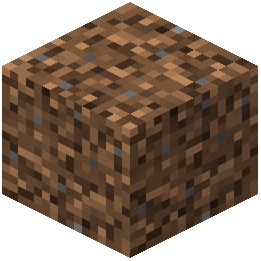 Coarse Dirt
 Cornflower
D
 Dandelion
 Dark Oak Sapling
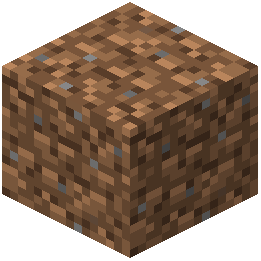 Dirt
F
 Fern
J
 Jungle Sapling
L
 Lily of the Valley
O
 Oak Sapling
 Orange Tulip
 Oxeye Daisy
P
 Pink Tulip
 Poppy
R
 Red Tulip
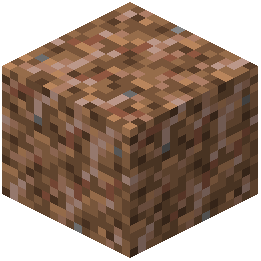 Rooted Dirt
S
 Spruce Sapling
V
 Vines
W
 White Tulip
Frequently asked questions
Where do I put Default-Style Winter Model and how do I turn it on?
Since this is a resource pack, place it inside your game's resource packs folder rather than the mods folder. Once inside the game, open the resource packs menu and move the pack to the active column to apply the changes.
Why aren't the 3D winter models showing up in my world?
First, verify the pack is enabled in your resource packs menu and placed above any conflicting texture packs in the load order. You can quickly check if it is working by looking closely at nearby oak, birch, or spruce trees for 3D leaf canopies.
Does this pack add new winter items or blocks to the creative menu?
No, it does not add any new items or blocks to your inventory. Instead, it visually overhauls existing vanilla blocks, plants, and creatures using 40 custom 3D models and 199 textures.
Which tree types get the new 3D winter leaves?
The pack updates the canopies of oak, birch, spruce, jungle, acacia, mangrove, and cherry trees. Any of these leaf blocks placed in your world or found naturally in forests will display the textured 3D foliage.
How do I get the new 3D Snow Golem model?
You do not need any special items; simply build a standard vanilla Snow Golem by stacking two snow blocks and topping them with a carved pumpkin. The spawned mob will automatically feature the new multi-part 3D base, body, and head.
Why does the grass in my current biome still look normal?
Many of the frosty ground details, such as ice touches, snowy flakes, and winter sprouts, are designed to appear on grass blocks in cold biomes. Travel to a cold area and inspect the ground closely to see the animated surfaces and sprouts.
Where can I find the floating ice floes?
Floating ice floes appear on the surface of rivers and oceans located within cold areas. You can visit naturally generated cold water bodies or build around icy water in cold biomes to use them in your landscaping.
Why are the frosty ground textures not animating?
The pack relies on a game version and video settings that support animated textures. Check your video settings to ensure that terrain and block animations are turned on.
What other plant blocks are changed besides tree leaves and grass?
The pack reworks ground and cliffside foliage by turning standard flora into snowy 3D flowerbeds and frost-covered hanging winter vines. You can use standard vines and flowerbeds on cliffs and gardens to add frosty details to your builds.
Can I use this on a multiplayer server without installing it on the server?
Yes, because it only replaces vanilla visuals with custom 3D models and textures while keeping the base game's art style, it works entirely on the client side. You can use it on any server without other players needing to have it active.
Related mods
Other wikis you may find useful.