

Contents (7)
What this pack changes
Every texture group the pack replaces, counted from the pack itself.
| Area | Textures replaced |
|---|---|
| Items | 373 |
| Blocks | 75 |
| Pick1 | 27 |
| Paintings | 13 |
| Items New | 8 |
| Misc | 4 |
| Bow Charge | 3 |
| Mobs & entities | 2 |
| Blockbench | 1 |
| Optifine | 1 |
Pack format 26 (Minecraft 1.20.5)507 texture files in total
Extra features
Custom entity models (OptiFine/CEM)
Random entity textures
Custom block/item models
Guides
Step-by-step, in-game.
How to Activate Chill_Totems Model in Your Resource Packs MenuHow to Customize the Included Source Models in BlockbenchHow to Equip and Display Custom 3D Helmets and AccessoriesHow to Use Elemental Spellbooks for Custom Poses and Animations
Items
 Chain Command Block
 Command Block
 End Crystal
 Jigsaw Block
 Mace
 Repeating Command Block
Blocks
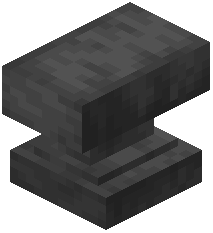 Anvil
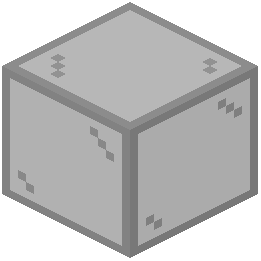 Gray Stained Glass
Frequently asked questions
Why aren't the 3D models showing up in my game?
Make sure you have placed the pack inside your resourcepacks folder and moved it to the active column in your in-game Resource Packs menu. If it is only sitting in your mods folder or remains unselected in the options menu, the 3D models and textures will not load.
How do I wear the custom helmets like the foxhelmet or redstonegoggles?
Place the headgear directly into your character's helmet armor slot in your inventory. Once equipped in the head slot, the 3D model will automatically wrap around your character's head.
Which elemental spellbooks are included in the pack?
There are seven elemental tomes available: the earthbook, firebook, plantbook, stormbook, waterbook, windbook, and soulbook. Holding any of these in your hand displays custom holding poses and animated page effects.
How do I get the elementsatchel to show up on my character?
Put the elementsatchel or other accessories like shockpowder into your offhand slot. Holding these items in your offhand applies their custom visual display to your character model.
See all 12 Chill Totems Model questions ›
Related mods
Other wikis you may find useful.