
Yunbei Urban Construction Wiki

Yunbei Urban Construction Wiki & Guide
Java EditionMod
wiki.9minecraft.net/yunbei-urban-construction-mod/
The community wiki and guide for Yunbei Urban Construction — guides, recipes, items and mechanics.
Guides
Step-by-step, in-game.
How to Copy Text Between Signs and LED DisplaysHow to Furnish a Realistic Roadside with Lamps, Barriers and GreeneryHow to Lay a Two-Lane Road with Correct Lane MarkingsHow to Set Up Working Traffic Lights at an Intersection
Recipes
Every recipe the mod adds, grouped by how it is made.
Items
 Link Wand
 Rotation Wand
 Tree Wand
 Wand
 Water Wand
Blocks
650 blocks · showing 24. Browse all →
 "3+" Marking
 "5+" Marking
 "Exit" Marking
 "Multi" Marking
 "Pass" Marking
 "Public" Marking
 "Rent" Marking
 "Ride" Marking
 "School" Marking
 "Transport" Marking
 "Vehicle" Marking
 Accessible Facility Sign
 Accident Area Sign
 Adverse Weather Sign
 Advisory Speed Auxiliary Sign
 Airport Exit (Left) Sign
 Airport Exit (Right) Sign
 Anti-Glare Board
 Anti-Glare Net
 Anti-Glare Net (Pole)
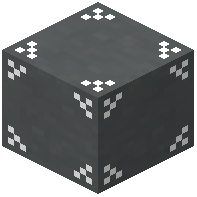 Auto Bevel Line Road
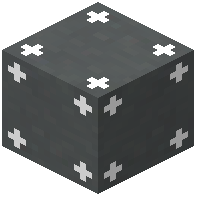 Auto Right Angle Line Road
 Auxiliary Sign for County & Township Road Number
 Auxiliary Sign for National Highway Number
Frequently asked questions
I just installed Yunbei Urban Construction, where do I start?
Open the creative inventory to find the road blocks, lane markings, signs and props. Lay down road blocks and lane markings to shape your street, then use the Rotation Wand to point the lines and arrows the right way. Add lamps, signals and gantries along the roadside last.
My lane lines and turn arrows are facing the wrong way, how do I fix them?
Hold the Rotation Wand and right-click the road block to turn it. Keep clicking until the line or arrow points the way you want. You don't need to break and re-place the block.
How do I make traffic lights at an intersection work together?
Place the traffic light poles at each corner, then use the Link Wand to connect the matching lights across the road. Lights that aren't linked won't coordinate with each other, so check your links if one side seems out of step.
How do I copy text from one sign or LED display to another?
Hold the Text Copy Wand and shift right-click the sign or display whose text you want to copy. Then right-click the other sign or display to paste the text onto it.
What road markings does the mod have?
Road blocks come with single lines, double lines, right angles and T-junction markings. There are also ground markings for straight lanes, turn arrows, U-turns, bus lanes, crosswalk warnings, speed limits and vehicle distance checks.
How do I build a T-junction or a corner?
Use the road blocks with T-junction and right-angle markings where the roads meet. Then orient each one with the Rotation Wand so the lines join up with the lanes around them.
Are there different kinds of traffic lights?
Yes. Besides the main traffic light poles, there are pedestrian lights and turn signal heads, and they come in multiple color casings to match your city's style.
What can I use to make a highway look realistic?
Put overhead gantries above the lanes and guardrails along the edges. Add radar speed detectors, security cameras and electronic LED display boards. Crash barrels and the hundreds of warning signs, such as height limits, steep slopes and sharp turns, finish the look.
What are the Tree Wand and Water Wand for?
They're landscaping tools for quickly adding greenery and water along your roadsides. Combine them with the mod's road flower boxes to decorate sidewalks and medians without placing everything by hand.
Does this mod need to be on the server as well as my client?
Yes. It adds new blocks and items, so the server and every player joining it need the mod installed. Players without it won't be able to see or use the road blocks, signs and props.
Related mods
Other wikis you may find useful.