

 DownloadXNet Mod
Get the files on 9Minecraft
How do I craft a  Controller?
The Controller is a block crafted through a shaped  crafting recipe. Place it as the central hub of your network to manage connected connectors and
 routers.
Controller is a block crafted through a shaped crafting recipe. Place it as the central hub of your network to manage connected connectors and routers.How do I make network cables?
Each color of network cable—Blue, Green, Red, Yellow, and Routing—is made via crafting recipes. Use the matching cable color to connect same-colored connectors together.
crafting recipes. Use the matching cable color to connect same-colored connectors together.What is the difference between a Connector and an Advanced Connector?
Basic connectors (Blue, Green, Red, Yellow, Routing) link blocks to the network, while Advanced connectors of the same colors provide upgraded functionality. You can also apply a  Connector Upgrade Kit to convert a basic connector into an advanced one.
How do I craft a Connector Upgrade Kit?
The Connector Upgrade Kit is made with a crafting recipe. Use it on a placed basic connector to upgrade it to its Advanced variant.
Connector Upgrade Kit is made with a crafting recipe. Use it on a placed basic connector to upgrade it to its Advanced variant.How do I set up a wireless network?
Craft a  Wireless Router and place it on your network, then craft an
 Antenna,
 Antenna Base, and
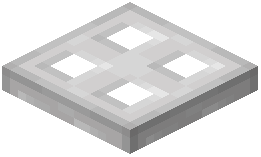 Antenna Dish to extend wireless range. The Antenna Base holds the Antenna, and the Antenna Dish attaches to boost the signal.
Wireless Router and place it on your network, then craft an Antenna, Antenna Base, and Antenna Dish to extend wireless range. The Antenna Base holds the Antenna, and the Antenna Dish attaches to boost the signal.What is the Antenna Dish used for?
The Antenna Dish is a block that attaches to your antenna setup to extend wireless range. Craft it and place it as part of an Antenna Base and Antenna assembly.
Antenna Dish is a block that attaches to your antenna setup to extend wireless range. Craft it and place it as part of an Antenna Base and Antenna assembly.How do I hide cables with a  Facade?
The Facade is a block crafted via a recipe. Place it over network cables to visually conceal them while keeping the connections functional.
Facade is a block crafted via a recipe. Place it over network cables to visually conceal them while keeping the connections functional.What does the  Redstone Proxy do?
The Redstone Proxy is a block that reads or emits redstone signals on the network. There is also a  Redstone Proxy (update) variant for updating redstone behavior.
Redstone Proxy is a block that reads or emits redstone signals on the network. There is also a Redstone Proxy (update) variant for updating redstone behavior.What is the Routing Connector and  Routing Network Cable for?
The  Routing Connector and Routing Network Cable are used to route items, fluids, or energy between specific network points. Craft them and connect them with Routing Network Cable like other connector types.
How do I connect a machine to the network?
Place a Connector (Blue, Green, Red, Yellow, or Routing) against the machine, then run the matching colored Network Cable from the connector back to a Controller or Router. Each color channel carries its own separate network.
Controller or Router. Each color channel carries its own separate network.What is the Router used for?
The Router is a block that acts as a network junction, allowing multiple cable runs to interconnect. Craft and place it to bridge segments of your network.
Router is a block that acts as a network junction, allowing multiple cable runs to interconnect. Craft and place it to bridge segments of your network.Can I change a connector's color or upgrade it?
You can use the Connector Upgrade Kit to upgrade a basic connector to an Advanced connector of the same color. To change color, break the connector and place a different colored one, then reconnect the matching cable.
Connector Upgrade Kit to upgrade a basic connector to an Advanced connector of the same color. To change color, break the connector and place a different colored one, then reconnect the matching cable.


