

Setting Up Your First Wireless Link
Craft a 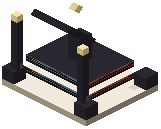 Wireless Router and place it against any face of a machine. Right-click the router to open its interface. From there you can configure all six sides of the attached block at once.
Each face uses one of four transfer modes: extract, insert, store, or ignore. For example, one side can pull raw ore while another exports finished goods.
Assign each active face to a network channel for the resource it handles: items, fluids, energy, chemicals, or magic power. Then place a second router on the destination block, such as a storage container or generator, and connect it to the matching channel. No pipes or cables are needed.
To limit what moves, insert a  Filter Card into a face slot. Filters can check tags, mods, remaining durability, or enchantment levels, with no list limits. The tag inspector screen helps you look up item tags and preview matching items. Stock limits can keep a minimum amount in a machine or stop transfers once a target chest reaches a set count.