

 DownloadSkybound Mercantile Network
Get the files on 9Minecraft
Placing Your 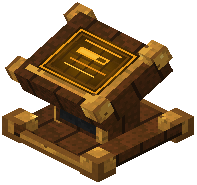 RIVET Block
Craft or obtain a RIVET block and place it on your airship between connected mechanical vaults. The RIVET block acts as a central hub for managing all onboard storage and tracking your trading activity.
Managing Shipboard Inventory
Right-click the RIVET block to open its interface. From here, you can:
- View all connected vault contents at once
- Organize and move cargo between vaults
- Check your current inventory status before accepting new contracts
- Ensure you have space for incoming deliveries
Accessing the Depot Log
The RIVET interface maintains a complete record of every trade depot you've visited. This log shows:
- Depot locations and coordinates
- Which corporations operate each depot
- Your reputation standing with each faction
- Available contracts at each location
Use this log to plan efficient trading routes and revisit depots with high reputation to access better contracts and exclusive inventory.