

Guides
Step-by-step, in-game.
How to Build a PIN Passcode Keypad and Redstone ButtonsHow to Craft and Place 3D Signs and Giant BillboardsHow to Paint Signs and Configure Neon Lighting EffectsHow to Read Number Blocks with Redstone Comparators
Recipes
Every recipe the mod adds, grouped by how it is made.
Items
 Paint Brush
 Sign Blueprint
 Wrench
Blocks
104 blocks · showing 24. Browse all →
 Ampersand Symbol
 Apostrophe
 Asterisk Symbol
 At Symbol
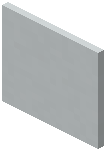 Backplate
 Backslash
 Bitcoin Symbol
 Center Dot
 Checkmark Symbol
 Circle Symbol
 Colon
 Comma Symbol
 Cross Symbol
 Diamond Symbol
 Division Sign
 Dollar Symbol
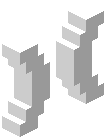 Double Bracket
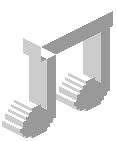 Double Music Note Symbol
 Double Square Bracket
 Down Arrow
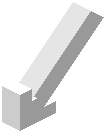 Down-Left Arrow
 Down-Right Arrow
 Equals Sign
 Euro Symbol
Frequently asked questions
How do I craft 3D letters and numbers?
You need to craft and place a Sign Press workstation. Inside the Sign Press, you can use survival materials like wood, stone, raw ingots, and dusts to produce letters, numbers, symbols, and backplates. The workstation also supports hoppers if you want to automate production.
How do I make giant billboard signs?
Place four identical signs in a 2×2 grid or nine identical signs in a 3×3 grid. As long as all the blocks in the square match, they will automatically merge into a single large display with a shared collision box.
Do I have to place a Backplate before placing letters?
No, you can place letters directly onto walls, floors, and ceilings, or add a Backplate behind letters that are already placed. Backplates are also double-sided, allowing you to attach characters to both faces.
How do I change the color or material of a placed sign?
Equip the Paint Brush tool and use it on your placed text. The Paint Brush interface lets you switch between the 40 base materials, apply preset dyes, blend custom RGB colors, or enable rainbow animations.
How do I make my signs glow or flash like neon lights?
Right-click a placed sign with the Wrench to configure its lighting behavior and animations, such as Blink, Flicker, Wave, Breathing, Disco, or Audio Sync. You can also set triggers so the lights only turn on at night, when a player is nearby, or when someone looks directly at the sign.
How do I turn a letter into a working Redstone button or lever?
Right-click the placed letter or symbol with the Wrench to set its interaction mode to a momentary button, a toggle lever, or a hold-to-activate switch. Once configured, the sign will emit full Redstone power from its back attachment face when activated, and the pulse duration for buttons depends on the sign's material.
How do I set up a PIN passcode lock?
Place a group of connected letters or numbers and right-click them with the Wrench to enable the PIN passcode lock mode. You can then use the touch-to-record feature directly in the world to set your custom sequence; as players press the characters, the blocks latch inward until the full correct passcode is entered.
Why is the placement hologram showing up red?
A red 3D hologram preview means the target space is obstructed or invalid for placement. Move your cursor until the preview turns green, which indicates the spot is clear and ready.
How do Redstone Comparators work with number blocks?
If you place a Redstone Comparator directly behind a placed number block, it will read the number on the sign and output a matching signal strength from 0 to 9. This works without needing to press the block like a button.
Can I activate sign buttons from far away?
Yes, wall-mounted sign buttons can be triggered from a distance using projectiles. Shooting them with arrows, tridents, or snowballs will activate their Redstone output just like pressing them by hand.
Related mods
Other wikis you may find useful.