

 DownloadSeafoams Dyeable Blocks
Get the files on 9Minecraft
Contents (3)
Customizing Wood Variants
Dyeing wooden stairs and slabs lets you match your flooring, roofing, and architectural details to a unified color scheme across your build.
Steps
1. Craft or gather wooden stairs and slabs from any wood type (oak, spruce, birch, etc.)
2. Make a dyed  paintbrush: Combine a paintbrush with your chosen dye in the crafting grid
3. Hold your dyed paintbrush and position yourself facing the stair or slab block
4. Right-click the block to apply the color
5. Repeat for all stairs and slabs in your design, switching paintbrush colors as needed
Building Tips
- Paint stairs and slabs in matching colors to create seamless transitions between levels
- Use contrasting colors on stairs to highlight elevation changes in your build
- Combine dyed stairs with
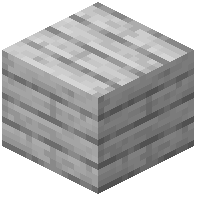 dyed planks for cohesive wooden structures
- Stairs and slabs retain their vanilla properties (collision, placement rules) after dyeing
This works with any wood plank type, giving you endless combinations for themed builds.