
 DownloadOpenSecurity Mod
Get the files on 9Minecraft
Contents (5)
Place the  NanoFog
Place NanoFog blocks in the area you want to obscure. NanoFog is the physical fog volume; it does not do anything on its own until it is controlled.
Add the terminal
Place a  NanoFog Terminal within range of the NanoFog blocks. The NanoFog Terminal is the control point — open it to toggle the fog on or off and to manage which NanoFog blocks it governs.
Integrate with access control
Link the NanoFog Terminal to a  Door Controller through the
 Security Terminal so that opening a
 Secure Door or
 Roll Door also clears the fog, and closing it restores the fog. This makes the fog part of the same access flow as your
 Keypad,
 Mag Card Reader, or
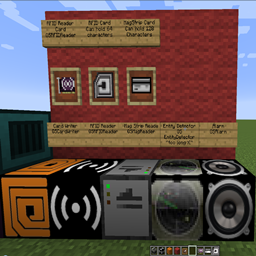
 RFID Reader.
Combine with detection
Register an  Entity Detector as an input to the NanoFog Terminal so that movement in a zone triggers the fog. Pair this with an
 Alarm on the same detector signal for a visible and audible response.
Testing
Toggle the terminal manually first to confirm the NanoFog blocks respond. Then test the linked door or detector to verify the fog changes state as expected.


