

What does Let it Walk Remote Control Mod add to Minecraft?
This addon adds the handheld ` Walker Remote Control` item and the `
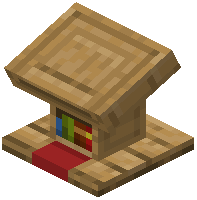 Lectern with Walker Remote` block for Let it Walk! Walkers. Together they let you bind to a walker's `Pilot Controls` and drive the machine from a distance without sitting on board.
Walker Remote Control` item and the `Lectern with Walker Remote` block for Let it Walk! Walkers. Together they let you bind to a walker's `Pilot Controls` and drive the machine from a distance without sitting on board.How do I get the Walker Remote Control in Survival mode?
The mod comes with one crafting recipe for the `Walker Remote Control` item so you can craft it directly during normal Survival gameplay. Open a vanilla crafting table and check your recipe book or an in-game recipe viewer to see the exact ingredient layout before crafting.
Walker Remote Control` item so you can craft it directly during normal Survival gameplay. Open a vanilla crafting table and check your recipe book or an in-game recipe viewer to see the exact ingredient layout before crafting.How do I bind the Walker Remote Control to my walker?
Hold the `Walker Remote Control` in your hand, walk up to your Let it Walk! walker, and right-click its `Pilot Controls` once to link them. Test the link from a short, clear distance right afterward so you confirm the remote is bound before moving farther away.
Walker Remote Control` in your hand, walk up to your Let it Walk! walker, and right-click its `Pilot Controls` once to link them. Test the link from a short, clear distance right afterward so you confirm the remote is bound before moving farther away.Do I still need to sit on board my walker to drive it?
No, once the `Walker Remote Control` is bound to your walker's `Pilot Controls`, you can drive the walker from far away while standing safely on the ground, a watchtower, or another platform. Keep a clear line of sight so you can watch terrain and obstacles ahead of the walker.
Walker Remote Control` is bound to your walker's `Pilot Controls`, you can drive the walker from far away while standing safely on the ground, a watchtower, or another platform. Keep a clear line of sight so you can watch terrain and obstacles ahead of the walker.How do I place the Walker Remote Control on a lectern stand?
Place a vanilla Minecraft lectern where you want a stationary control desk and interact with it while holding the `Walker Remote Control`, working the same way as the vanilla Create remote. This converts the stand into the `Lectern with Walker Remote` block so the controller stays mounted in place.
Walker Remote Control`, working the same way as the vanilla Create remote. This converts the stand into the `Lectern with Walker Remote` block so the controller stays mounted in place.Should I bind the remote to Pilot Controls before putting it in a lectern?
Yes, right-click your walker's `Pilot Controls` with the handheld `Walker Remote Control` first and verify it responds before mounting it on a lectern. That way your `Lectern with Walker Remote` station is immediately linked to the right walker instead of holding an unbound controller.
Walker Remote Control` first and verify it responds before mounting it on a lectern. That way your `Lectern with Walker Remote` station is immediately linked to the right walker instead of holding an unbound controller.Why is my Walker Remote Control not moving my walker?
The most common cause is forgetting to bind the newly crafted remote or right-clicking another part of the walker instead of the `Pilot Controls` block directly. Walk back to the walker, hold the `Walker Remote Control`, and right-click the `Pilot Controls` once to establish the link.
Walker Remote Control`, and right-click the `Pilot Controls` once to establish the link.Can I use Let it Walk Remote Control Mod without Let it Walk! installed?
No, this mod is an addon specifically built for Let it Walk! Walkers and binds directly to a walker's `Pilot Controls`. Without Let it Walk! loaded alongside it in your game or server, you will have no walkers or `Pilot Controls` blocks to bind or drive.
How can I avoid mixing up remotes when I build multiple walkers?
Craft one `Walker Remote Control` for each machine, bind it to that walker's `Pilot Controls`, and dock each controller on its own `Lectern with Walker Remote` stand. Labeling each stand with a vanilla sign prevents accidentally re-binding or steering the wrong walker during busy base work.
Walker Remote Control` for each machine, bind it to that walker's `Pilot Controls`, and dock each controller on its own `Lectern with Walker Remote` stand. Labeling each stand with a vanilla sign prevents accidentally re-binding or steering the wrong walker during busy base work.Does keeping remotes mounted on lecterns affect game performance?
Because the addon only adds a single handheld `Walker Remote Control` item, one crafting recipe, and the `Lectern with Walker Remote` block, its own performance footprint is minimal. Any heaviness while driving comes from the walkers and loaded terrain themselves rather than from the remote or lectern stands.
Walker Remote Control` item, one crafting recipe, and the `Lectern with Walker Remote` block, its own performance footprint is minimal. Any heaviness while driving comes from the walkers and loaded terrain themselves rather than from the remote or lectern stands.