

 DownloadLegacy4J
Get the files on 9Minecraft
How do I switch to the Legacy Console Edition UI?
Launch the mod and open the main settings menu — you'll find UI style options that let you switch to the classic console interface. Once enabled, your crafting menus, HUD, and tooltips will match the Legacy Console Edition layout.
Why doesn't my gamepad work with Legacy4J?
Open the gamepad settings in the mod's configuration menu and ensure your controller is detected and mapped correctly. The mod supports PlayStation, Stadia, and Steam controller icons — check that you've selected the right controller type for your device.
Can I use the old console crafting grid instead of the Java Edition one?
Yes — the mod replaces the default crafting system with console-style mechanics by default. If you want to switch back, you can toggle this in the mod settings, though the console grid is the intended experience.
How do I load a tutorial world?
When creating a new world, select "Tutorial World" from the world type options — the mod includes classic tutorial worlds from console editions like TU69. You'll also see the familiar console-style help screens when you start.
What's the difference between Legacy4J and the Lite Legacy addon?
Lite Legacy combines Legacy4J's console features with performance optimizations, making it better for lower-end systems. Use the base Legacy4J mod if you want the full experience, or Lite Legacy if you need better frame rates.
How do I customize the HUD distance and transparency?
Go to the mod's HUD settings menu and look for distance and transparency sliders. You can adjust these values to match your preferred visibility and screen layout.
Can I create a superflat world with console-style settings?
Yes — when creating a superflat world, the mod adds a GUI-based customization menu that lets you configure it using console edition presets and options. This replaces the text-based superflat configuration.
Does Legacy4J work with custom skins and skin-switching mods?
The mod works with Customizable Player Models to replicate the classic console skin-switching feature. Install both mods together to access that functionality.
How do I adjust fog and lighting to feel more like console editions?
Open the fog and lighting settings in the mod menu — you can customize fog density and enable console-style lighting effects on UI blocks to recreate that atmospheric feel.
What happens if I use Legacy4J with other mods — will it break?
Legacy4J is generally compatible with most mods, but UI-heavy mods may conflict with the console interface. Start with the base mod, then test compatibility by adding other mods one at a time.
What is the Legacy4J Mod?
Legacy4J is a mod that recreates the Minecraft Legacy Console Edition experience on modern Java Edition versions. It adapts features like the classic UI, crafting menu, controller support, and console-style lighting.
What Minecraft versions does Legacy4J support?
The mod supports Minecraft versions 1.21.6, 1.21.7, 1.21.8, 1.21.10, 1.21.11, and 26.1.2.
What mod loaders does Legacy4J work with?
Legacy4J is available for Fabric, Forge, NeoForge, and Quilt.
Is there a Legacy4J modpack?
Yes, there are several modpacks built around Legacy4J, including Re-Console, Rekindled Legacy, Simply Legacy, and 2000s Edition.
Does Legacy4J work on Minecraft Bedrock?
No, Legacy4J is a Java Edition mod. It is designed to recreate the Legacy Console Edition experience on modern Java Edition versions.
Does Legacy4J support controllers and gamepads?
Yes, Legacy4J includes accurate controller support with PlayStation, Stadia, and Steam icons.
Does Legacy4J have split screen support?
The mod focuses on recreating the Legacy Console Edition experience on Java Edition, including controller support and the console-style UI, but split screen is not listed among its features.
What blocks does Legacy4J add?
Legacy4J registers two blocks : the 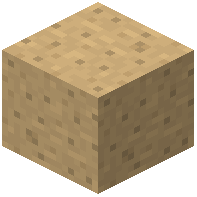 Mushroom Pore and the
 Shrub , which are legacy-style decorative flora.
Mushroom Pore and the Shrub , which are legacy-style decorative flora.Can I use Legacy4J on a server?
Yes, there is an official Re-Console SMP server for the modpack, and the mod can be used in modpacks.
Does Legacy4J work with Customizable Player Models?
Yes, Legacy4J works with Customizable Player Models to replicate classic skin switching.