
Gallic Rail Systems Wiki

Gallic Rail Systems Wiki & Guide
wiki.9minecraft.net/gallic-rail-systems-mod/
The community wiki and guide for Gallic Rail Systems — guides, recipes, items and mechanics.
Guides
Step-by-step, in-game.
How to Build an Authentic French Station PlatformHow to Choose the Right French Rolling Stock for Your LineHow to Plan Track Speed Limits for French Rail NetworksHow to Set Up Custom French PIDS Route Codes and Auto-Numbering
Recipes
Every recipe the mod adds, grouped by how it is made.
Blocks
88 blocks · showing 24. Browse all →
 120 Km/h sign
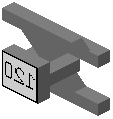 120 km/h sign for signaling gallows
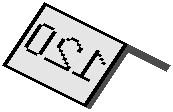 120 km/h sign on ground
 160 Km/h sign
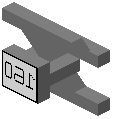 160 km/h sign for signaling gallows
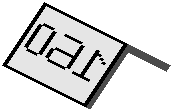 160 km/h sign on ground
 20 Km/h sign
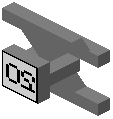 20 km/h sign for signaling gallows
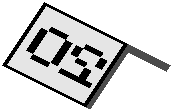 20 km/h sign on ground
 200 Km/h sign
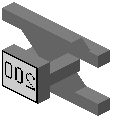 200 km/h sign for signaling gallows
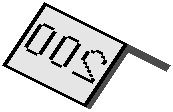 200 km/h sign on ground
 300 Km/h sign
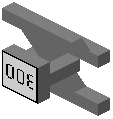 300 km/h sign for signaling gallows
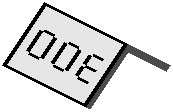 300 km/h sign on ground
 40 Km/h sign
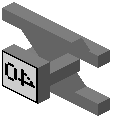 40 km/h sign for signaling gallows
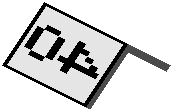 40 km/h sign on ground
 60 Km/h sign
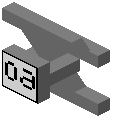 60 km/h sign for signaling gallows
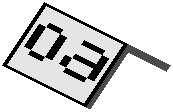 60 km/h sign on ground
 80 Km/h sign
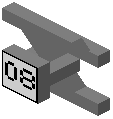 80 km/h sign for signaling gallows
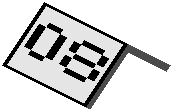 80 km/h sign on ground
Frequently asked questions
Does Gallic Rail Systems work by itself?
No, Gallic Rail Systems is an extension for Minecraft Transit Railway (MTR). You must have the base MTR mod in your world to use the Railway Dashboard, place tracks, and spawn the French rolling stock.
How do I get French train numbers to show up on my station PIDS?
Open the Railway Dashboard, go to the Routes tab, and click the pencil icon next to your route. In the Route Number field, type the service prefix and number separated by a vertical bar, such as TGV|7800.
How do I make train numbers change automatically on a route?
When editing the Route Number field in the Railway Dashboard, replace the digits you want to auto-increment with percent symbols. For example, entering TER|8%%% will automatically generate sequential numbers for each departing train on that line.
Why is my TGV not reaching its top speed?
Train speeds are capped by the specific track blocks you place on the ground. To run high-speed trains at full capacity, you need to replace standard low-speed rails with the mod's custom high-speed tracks, which go up to 320 km/h or 999 km/h.
What track speed limits does this mod add?
The mod adds custom rails with realistic speed limits ranging from 70 km/h up to 320 km/h for high-speed lines. There is also a 999 km/h rail option for players who want unrestricted speeds.
Can I change the color of the station benches and seats?
Yes, the station seats included in the mod are dyeable. You can customize them to match your specific transit line's color scheme.
What is the difference between the MP and MF metro trains?
Both are Paris metro rolling stock, representing different generations and styles from the network. You can choose between classic and modern variants like the MP59, MP05, MP14, MF67, and MF77 depending on the era of the underground station you are building.
Which trains should I use for a double-decker commuter line?
For high-capacity regional or commuter lines, use the MI2N, MI09, Z20500, or Z8800. If you are building a long-distance high-speed line instead, you can use the TGV Duplex or TGV M.
Can I build locomotive-hauled passenger trains instead of multiple units?
Yes, the mod includes the BB22200 and BB26000 electric locomotives along with Corail passenger carriages. You can combine these in your train depot to run classic intercity services.
What blocks are included for decorating stations and tracks?
For platforms and concourses, you can place ticket machines, automated barriers, IDFM signs, station logos, custom platform slabs, and dyeable seats. For the tracks, you can add catenary poles and buffer stops at the ends of your lines.