

 DownloadFlux Core Command
Get the files on 9Minecraft
Contents (4)
Placing Redstone Links in Your Dashboard
Instead of running redstone wire across your base, place Redstone Links directly inside your 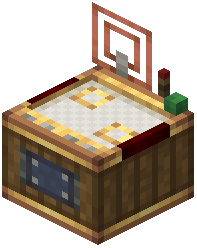 factory controller dashboard. These virtual components handle logic gate signals and redstone control without physical wiring.
Configuring Signal Modes
Right-click a Redstone Link inside the dashboard to adjust its settings and signal modes. You can set it to respond to specific conditions—like when a gauge reaches a certain item count or when a production line completes.
Disabling Connected Gauges with Redstone
Connect a Redstone Link to multiple gauges to disable them all at once using an external redstone signal. This lets you shut down entire production sections from a single lever or button without managing individual machine controls.
Using Electron Tubes for Logic
Electron Tubes work alongside Redstone Links to handle more complex logic. Place them in your dashboard, connect them to gauges and redstone links, and build conditional production rules—all visible in one organized interface.