

Guides
Step-by-step, in-game.
How to Build Multi-Block Arches, Columns, and Corner TrimsHow to Build Patterned Floors, Custom Stairs, and Wall AlcovesHow to Bulk Swap Stone Materials and Metal InlaysHow to Customize Windows, Trims, and Lighting with the Debug StickHow to Detail Builds Using Multiface Layers, Slopes, and InlaysHow to Light Rooms and Configure Fixture BrightnessHow to Refresh Connected Textures and Configure SynapheiaHow to Search the Block Catalog and Adjust Inventory Tooltips
Items
 ERYDON Emblem
Blocks
9995 blocks · showing 24. Browse all →
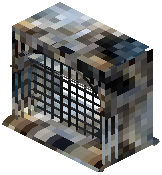 Aganite Aged Arch Window
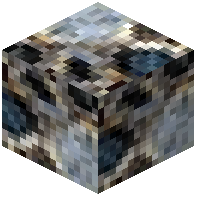 Aganite Aged Block
 Aganite Aged Broad Shallow Vertical Slope
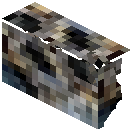 Aganite Aged Byzantine Cornice
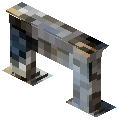 Aganite Aged Byzantine Surround
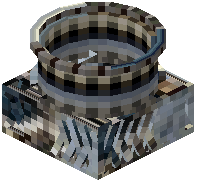 Aganite Aged Circular Chimney
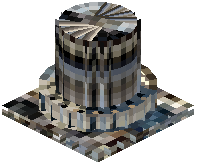 Aganite Aged Circular Column
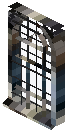 Aganite Aged French Georgian Window
 Aganite Aged Georgian Alcove
 Aganite Aged Georgian Arch
 Aganite Aged Georgian Coping
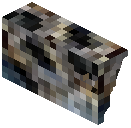 Aganite Aged Georgian Cornice
 Aganite Aged Georgian Grand Coping
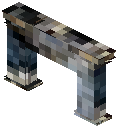 Aganite Aged Georgian Surround
 Aganite Aged Georgian Wall
 Aganite Aged Gothic Alcove
 Aganite Aged Gothic Arch
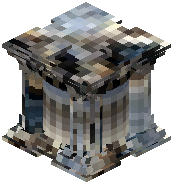 Aganite Aged Gothic Column
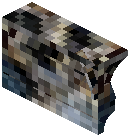 Aganite Aged Gothic Cornice
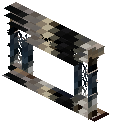 Aganite Aged Gothic Ornate Surround
 Aganite Aged Horizontal Slice
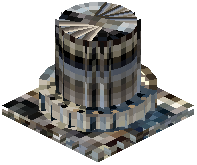 Aganite Aged Large Circular Column
 Aganite Aged Large Spiral Stairs
 Aganite Aged Layer
Commands
Chat commands this mod registers, and what each one does.
| Command | What it does |
|---|---|
/erydon swap chunk <from> <to> | radius <from> <to> <1 | 32> | box <from> <to> <x y z> <x y z> | undolast. Put names containing spaces in quotes. Honed, Polished and Ganosis all select plain stone; the displayed name follows your stone-finish setting. Aged and each overlay sel |
/erydon swap overlay chunk <bronze|silver> <silver|bronze> | radius <from> <to> <1 | 32> | box <from> <to> <x y z> <x y z>. Changes only the metal of Trim, Guilloche, Quatrefoil and Rosette inlays, keeping the stone, pattern, shape and supported block settings. Missing counterparts stay unchanged. Use /e |
Configuration
Every setting in the mod config file, with what it changes.
| Option | What it does |
|---|---|
all_hint | Apply this finish to every stone and reset pattern choices to Inherit. Glass settings are kept. |
light_brazier | Brazier |
light_coffered_ceiling | Coffered Ceiling |
default_radius | Default radius |
mirror | Ganosis |
glass_hint | Glass keeps its tint and stays transparent, with stronger reflections that leave less background visible. Requires suppo |
glazing | Glazing & window glass |
herringbone | Herringbone |
master | High polish |
honed | Honed |
level_hint | Honed: softer reflections. Polished: full smoothness with no extra reflection boost. Ganosis (mirror finish): full smoot |
inherit | Inherit |
inherit_hint | Inherit follows the stone finish. Herringbone, weave and inlays can choose their own finish. Weaves belong to the first |
inlays | Inlays |
large | Large |
max_radius | Max radius |
mixed | Mixed |
light_modern | Modern Light |
off | Off |
light_oil_burner | Oil Burner |
on | On |
stone_hint | Open this stone and its pattern settings. |
light_pendant | Pendant Light |
polished | Polished |
Frequently asked questions
How do I start finding blocks in ERYDON without getting overwhelmed?
Open your creative inventory or item browser and use the search bar to filter by stone family, surface finish (such as Aged, Ashlar, Honed, or Hewn), or architectural style (like Gothic, Georgian, Byzantine, or Modern). Filtering by shape keywords like arch, column, cornice, or slope lets you compare matching pieces across all 27 stone families.
Do I need to install a separate connected textures mod for ERYDON?
No, ERYDON includes its own built-in connected texture engine called Synapheia. Your stone patterns, trims, and glass panels line up automatically without needing any external texture add-ons.
How do I fix connected textures if my stone patterns stop lining up?
Run the `/erydon recalc` command to refresh Synapheia's connected texture calculations in your build. If you turn on `short_command` in the mod config, you can also just type `/recalc`.
How do I build wider arches instead of single-block openings?
Place matching Romanesque, Gothic, Georgian, or Modern arch blocks side by side in a row. They will automatically connect and expand together into a single curved opening up to six blocks wide.