

 DownloadCreate Rubberworks
Get the files on 9Minecraft
Crafting and Placement
Craft a 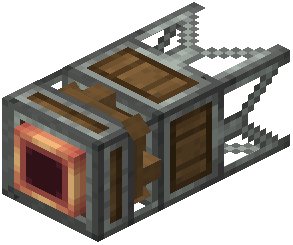 Sapper block using the recipe shown in your crafting table. You'll need an andesite casing and other Create mod materials. Place the Sapper directly against a tree log or leaves—it works best when attached to the wood itself.
Powering the Sapper
The Sapper requires rotational power from the Create mod's mechanical systems. Connect a cogwheel or shaft to the side of the Sapper block. You can use a hand crank for testing, but for continuous operation, connect it to a water wheel, windmill, or other power source.
Collecting the Liquid
Once powered, the Sapper will begin pulling raw  resin (or other liquids) from the tree. Attach copper fluid pipes to the output side of the Sapper and route them into a tank or directly into your next processing machine. The liquid will flow automatically as long as the Sapper has rotational power.
Optimizing Placement
For maximum efficiency, place Sappers on multiple trees in the same area. You can connect all their outputs to a single large tank using fluid pipes and junctions.