

 DownloadCorpse X Curios API Compat Mod
Get the files on 9Minecraft
Finding and Opening Your Corpse
When you die with this compatibility mod installed, everything you had equipped in Curios slots (rings, belts, amulets, back slots, and any other Curios-provided slots) is transferred into your 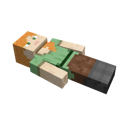 corpse along with your regular inventory. Walk back to where you died and interact with the corpse block to open its inventory screen. You should see your Curios items sitting in the corpse's storage grid alongside your armor and main inventory items.
Pulling Items Back Out
Click each Curios item to move it into your own inventory, or use the "take all" style button if your Corpse mod version provides one. Once the items are in your inventory, you can re-equip them by opening your Curios slots (default keybind opens the Curios inventory panel) and placing each item into its matching slot type. The mod does not auto-equip them for you — it only guarantees they end up on the corpse instead of being lost or dropped separately.
If Something Is Missing
Double-check that the corpse is fully emptied before it despawns. If a Curios item is not on the corpse, confirm the slot it was in is actually a Curios slot and not a slot added by a different mod, since only Curios-managed slots are handled by this compat layer.


