
Flux Core Command Wiki › FAQ
Flux Core Command FAQ
10 questions players actually ask, answered.
How do I start using Flux Core Command Mod?
Place a 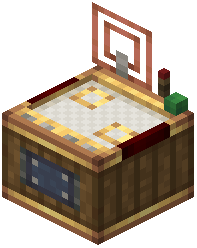 Factory Controller block in your factory, then right-click it to open the virtual dashboard. From there, you can place gauges, redstone links, and electron tubes onto the grid just like you would on a physical wall, but everything stays organized inside one block.
Factory Controller block in your factory, then right-click it to open the virtual dashboard. From there, you can place gauges, redstone links, and electron tubes onto the grid just like you would on a physical wall, but everything stays organized inside one block.Can I import my existing gauge wall into the controller?
Yes, the mod lets you import existing physical gauge walls directly into the virtual controller screen. This means you don't have to rebuild your entire setup from scratch.
How do I connect multiple gauges together inside the dashboard?
Place your gauges on the grid, then click on them to configure their inputs and outputs. Use the connection system to link gauges to each other and to your delivery networks—you can customize arrow paths to keep things tidy.
What's the difference between batch crafting and follow demand mode?
Batch crafting pulls multiple sets of ingredients at once when stock is ready, useful for bulk production. Follow demand mode only triggers item creation when current stock runs low, which prevents your chests from filling with unnecessary intermediate items.
Can I control the factory controller with redstone signals?
Yes, you can disable every connected gauge at once using an external redstone signal. You can also place Redstone Links and Electron Tubes inside the dashboard to handle logic gate signals without running long wires across your base.
How do I reorganize multiple components at once?
Hold Ctrl and drag your mouse cursor to select multiple components, then move them together. Multi-select mode also lets you delete groups of parts quickly.
Can I save my dashboard layout and reuse it elsewhere?
Yes, you can save your gauge setups into blueprints for quick placement elsewhere. This is useful if you have multiple similar production lines in your base.
What does 'promise limits' do and why would I use it?
Promise limits prevent gauges from creating too many pending delivery requests at once. This stops your logistics network from getting overwhelmed with too many crafting jobs queued up simultaneously.
Does this mod work with Create's display links?
Yes, the controller connects with display links to show factory data on display boards, so you can monitor your production from anywhere in your base.
Can I make the mechanical crafting grid bigger?
Yes, this mod expands mechanical crafting grid setups up to a ten by ten area, giving you much more space for complex recipes compared to the default size.