

Contents (4)
Locate Your 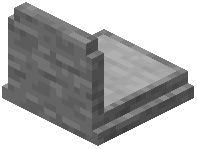 Grave Quickly
When you die, the mod automatically sends a chat message containing the exact coordinates of your grave. Open your chat history and look for this message—it will show you the X, Y, and Z coordinates where your grave was placed.
Navigate to Your Grave
Open your map or use the coordinates to travel to the location. If you're having trouble spotting the grave visually, use the highlight command to make it glow through blocks.
Use the Highlight Command
If you can't find your grave despite having the coordinates, type /epitaphs highlight latest in chat. This draws a glowing outline around your most recent grave, making it visible even through walls and terrain. Once you've located it, type /epitaphs highlight clear to turn off the glow.
Retrieve Your Items
Walk up to the grave and interact with it (right-click). All your items will return to your inventory in the exact slots they occupied before you died. The grave is locked to you, so only you can open it.