
View All Your Graves and Manage Them
List All Your Current Graves
Type /epitaphs list in chat to see a complete list of every 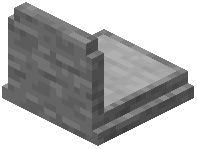 grave you currently have. This command displays all your death locations, helping you keep track of where you've left items scattered across your world.
Understand Grave Information
When you look at a grave block, a helpful tooltip appears showing who owns it and the exact time they died. This makes it easy to identify old graves you may have forgotten about or distinguish your graves from other players' graves on a shared server.
Highlight Specific Graves
Use /epitaphs highlight latest to highlight your most recent grave with a glowing outline. This is especially useful if you have multiple graves and need to find the newest one quickly without scrolling through your list.
Clear Highlights
When you're done locating a grave, type /epitaphs highlight clear to remove the glowing effect and restore normal visibility.