

What's New
The 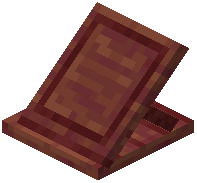 Easel Does It Mod introduces five brand-new painting designs that aren't available in vanilla Minecraft. These unique artworks give you fresh decoration options for any building style.
Accessing the New Paintings
1. Obtain any painting - Craft or find a painting item in your inventory.
2. Place it on an Easel - Right-click the Easel while holding the painting to open the selection menu.
3. Find the new designs - The five new paintings will appear alongside vanilla options in the menu.
4. Select and display - Click on any new painting to place it on the Easel.
Design Ideas
The new paintings range from abstract and colorful designs to detailed scenes. Use them to:
- Add visual interest to gallery spaces and art rooms
- Complement modern or artistic builds
- Create themed decoration areas
- Mix with vanilla paintings for variety
Since you can choose exactly which painting appears, you can plan your decoration layout precisely. The new designs work well in artist studios, museums, mansions, and any build that benefits from unique artwork.