
Place a Specific Painting Using the Easel
Getting Started
The 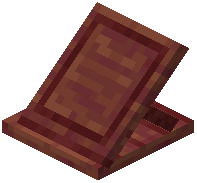 Easel block lets you choose exactly which painting design you want to display, rather than placing paintings randomly. This is especially useful when you need a particular artwork for your build.
Steps to Place a Painting
1. Prepare a painting item - Obtain any painting from your inventory or crafting.
2. Right-click the Easel while holding the painting in your hand. A menu will open showing all available painting designs.
3. Browse the options - Scroll through the list to find the painting you want. The mod includes the five new paintings it adds, plus all vanilla paintings.
4. Select your design - Click on the painting you prefer. It will instantly appear on the Easel block, facing outward.
5. Confirm placement - The painting is now placed and ready to view.
Removing a Painting
To take the painting back into your inventory, sneak (hold Shift) and right-click the Easel with an empty hand. The painting will be removed and you can place it elsewhere or select a different design.