

Prepare Your Setup
You'll need a computer, a 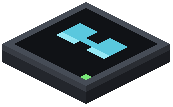 HUD Modem,
  HUD Glasses, and a monitor program running on your computer. Start by placing the HUD Modem on any block face—walls, floors, and ceilings all work. The modem will project your computer's output directly into your vision once linked.
Link and Equip
Hold the HUD Glasses in your hand and right-click the HUD Modem to establish the connection. The glasses will bind to that specific modem. Once linked, equip the glasses by placing them in your helmet slot or accessory slot (depending on your setup).
Run Your Display Program
On the computer connected to the modem, run your monitor program. Any standard ComputerCraft monitor commands will now display on your HUD instead of a physical monitor. Text, box-drawing characters, and colors all render transparently across your screen, letting you see the world while viewing data.
Toggle Visibility
Press H at any time to hide or show your active screen feed. This lets you quickly switch between full HUD view and unobstructed vision without removing your glasses.