
Digital Lens Feed Wiki › FAQ
Digital Lens Feed FAQ
10 questions players actually ask, answered.
How do I get started with  HUD Glasses?
Place a 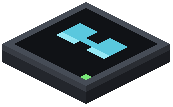 HUD Modem on any block face connected to your computer, then right-click it while holding HUD Glasses to link them. Equip the glasses in your helmet or accessory slot, run your monitor program on the computer, and the output will display on your screen.
HUD Modem on any block face connected to your computer, then right-click it while holding HUD Glasses to link them. Equip the glasses in your helmet or accessory slot, run your monitor program on the computer, and the output will display on your screen.Can I use HUD Glasses without a modem?
No, you need both a HUD Modem and HUD Glasses linked together to display anything. The modem acts as the receiver that connects your computer's output to your eyewear.
HUD Modem and HUD Glasses linked together to display anything. The modem acts as the receiver that connects your computer's output to your eyewear.How do I hide the HUD display without taking off my glasses?
Press H at any time to toggle your active screen feed on and off while keeping the glasses equipped.
Can multiple players see the same HUD display?
Yes, multiple players can link their eyewear to a single modem to share team status feeds. Each player needs their own pair of HUD Glasses linked to the same modem.
HUD Glasses linked to the same modem.Does HUD Glasses work with pocket computers?
Yes, you can upgrade a pocket computer with HUD Glasses functionality, letting you carry your custom interface anywhere. There's also a recipe to combine it with an ender modem for cross-dimension connections if enabled.
HUD Glasses functionality, letting you carry your custom interface anywhere. There's also a recipe to combine it with an ender modem for cross-dimension connections if enabled.Why is my HUD text hard to read?
Adjust the textShadow and textShadowLayer settings to change text outline and shadow style, or modify hudWidth and hudHeight to scale the character size. You can also use the hudFit setting to change how the terminal stretches across your display.
My HUD is laggy with a large display. How do I fix it?
Enable fastGlyphRendering in your config to speed up rendering when using large display sizes. You can also reduce hudWidth and hudHeight to lower the resolution.
Can I mount a HUD Modem on the floor or ceiling?
Yes, HUD Modems can mount to any block face including floors, walls, and ceilings, so you can position them however you need.
What monitor commands work with the HUD display?
The HUD reuses standard ComputerCraft monitor commands with full character set and box-drawing support, so any program that works on a regular monitor will work on your HUD display.