
Create Aeroworks Wiki › FAQ
Create Aeroworks FAQ
10 questions players actually ask, answered.
Do I need Create: Aeronautics installed to use this mod?
Yes, Create Aeroworks Mod is an extension that requires Create: Aeronautics to be installed first. Without it, the mod's flying machine features won't function.
How do I start building a cockpit?
Craft a Modular Desk, which serves as your blank console base. Then attach control modules like steering wheels, flight yokes, throttle quadrants, buttons, and levers to customize your cockpit layout.
What's the difference between a steering wheel and a flight yoke?
A steering wheel controls left and right rotation of your ship, while a flight yoke controls pitch (pulling up to climb or pushing down to dive). Use both together for full directional control.
How do I make my airship stay level automatically?
Install a 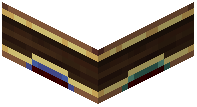 Gyroscope on your ship and power it with rotational force from your engines. The gyroscope will automatically stabilize your airship and keep it flat, with a text indicator showing whether it has enough power.
Gyroscope on your ship and power it with rotational force from your engines. The gyroscope will automatically stabilize your airship and keep it flat, with a text indicator showing whether it has enough power.Can I control my ship with a keyboard instead of a mouse?
Yes, you can enable keyboard controls in the mod settings, and there's an option to auto-center the controls so they snap back to neutral when you're not pressing anything.
How do joysticks send signals to my wings and thrusters?
Joysticks output redstone signals based on your input direction and can be linked wirelessly to other parts of your ship using redstone link frequencies, allowing remote control of wings, thrusters, and other mechanisms.
What happens if I power the gyroscope with redstone signal?
Powering the gyroscope with redstone signal changes how stiffly it holds your ship level, allowing you to tilt and turn more freely before it auto-corrects back to flat.
gyroscope with redstone signal changes how stiffly it holds your ship level, allowing you to tilt and turn more freely before it auto-corrects back to flat.Can I lock my 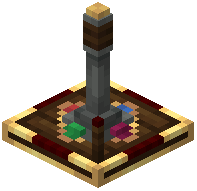 joystick in place so my ship keeps flying straight?
Yes, you can send a redstone signal into the joystick to lock it, which keeps your ship flying in one direction automatically while you walk around or do other tasks.
joystick to lock it, which keeps your ship flying in one direction automatically while you walk around or do other tasks.What's the steering indicator that appears on my screen?
It's a small visual display that shows which direction you're pulling the controls, helping you keep track of your input without looking at the cockpit itself.
Can I use buttons and levers for things other than steering?
Yes, buttons and levers on your control panel can trigger any redstone action you want, like dropping cargo, toggling landing gear, or activating special ship systems.