
Chestmonster Wiki › FAQ
Chestmonster FAQ
10 questions players actually ask, answered.
How do I craft the main storage hub block?
Refer to your mod's recipe guide or JEI/NEI for the exact crafting recipe, as it varies by mod version. Once crafted, place it anywhere and use the linking tool to connect your nearby chests to it.
What's the linking tool and how do I use it?
The linking tool is a special hand block that connects your regular chests to the main hub. Right-click chests with it to link them, and they'll appear in your hub's storage grid once connected.
How far away can chests be from the hub?
The default search radius determines this distance, but you can adjust it in the configuration file using the `searchradius` setting to make the hub look further or closer.
Can I have multiple storage hubs in my world?
No, the mod only allows each player to have one main hub block to keep the game balanced. If you try to place a second one, it won't function.
How do I put items back into my chests from the hub?
The `gridstoreitems` setting in your config controls this feature—if it's enabled, you can deposit items back into connected chests directly from the hub menu.
What's the difference between clicking and shift-clicking items?
A normal click grabs a single item, while holding shift and clicking pulls an entire stack of that item from your connected chests.
How does the quick deposit button work?
The quick deposit button automatically moves matching items from your inventory into the connected chests, letting you clear your pockets without manually sorting.
Is there a button to empty my inventory from the regular inventory screen?
Yes, if you enable the optional quick deposit button in your config, it appears in your normal inventory screen for fast pocket-emptying.
Do I need to restart the game to apply config changes?
No, use the `/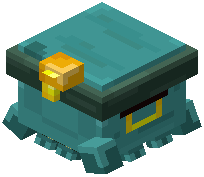 chestmonster reload` command to update your settings while playing without restarting.
chestmonster reload` command to update your settings while playing without restarting.Can I control which dimensions the hub searches in?
Yes, the `delootDimensions` setting lets you specify which worlds or dimensions the hub can access for storage.