
Borderless Glass Resource Pack FAQ
10 questions players actually ask, answered.
Does borderless glass work with 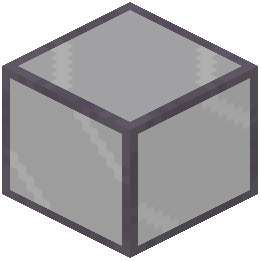 tinted glass?
Yes, the pack removes borders from all glass types including tinted glass, so tinted glass will also appear borderless while maintaining its color filtering effect.
tinted glass, so tinted glass will also appear borderless while maintaining its color filtering effect.Will this pack work with other resource packs?
It depends on load order and what the other pack modifies; if another pack also changes glass textures, you may need to place Borderless Glass lower in your pack list to ensure its changes take priority.
Can I use this in multiplayer servers?
Yes, resource packs are client-side only, so you can use Borderless Glass on any server without needing permission or affecting other players.
Does borderless glass affect performance?
No, this is a lightweight pack that only modifies textures, so it has negligible impact on frame rate or performance.
How do I enable the pack after downloading?
Open your resource packs folder, place the pack file there, then in-game go to Options > Resource Packs, find Borderless Glass in the available list, and move it to the active side.
Does this work with glass panes and stairs?
Yes, the pack removes borders from all glass variants including glass panes and glass stairs, creating a completely seamless look across all glass blocks.
Will borderless glass work with my shader pack?
Yes, resource packs and shaders work together without conflict; the borderless glass textures will render with your shader's lighting and effects applied.
Does the pack change glass color or transparency?
No, it only removes the black borders around glass blocks; the transparency and color of all glass types remain exactly the same.
What Minecraft versions does this support?
Check the pack's download page for the specific versions it supports, as compatibility varies depending on texture format changes between updates.
Can I use this pack in creative mode only?
Yes, you can enable or disable the pack at any time in your resource packs menu, so you can toggle it on for creative building and off for survival if you prefer.