

Contents (3)
Guides
Step-by-step, in-game.
How to Adjust Atmospheric Fog in the Configuration FilesHow to Control Campaign Events Using Custom CommandsHow to Start the Story Campaign and Interact with Bob the ToolboxHow to Survive Timed Visitation Events and Spot The Visitor
Items
Frequently asked questions
How do I start the story campaign?
You can initiate the story campaign by placing 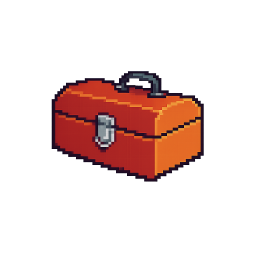 Bob the Toolbox down on the ground and interacting with him to receive your first instructions. Alternatively, you can use the addon's custom commands to manually start or test specific campaign events.
Can I move Bob the Toolbox after placing him down?
Yes, you are not locked into one location once the campaign starts. You can pick Bob the Toolbox back up at any time and carry him in your inventory or hotbar as you move around the world.
Bob the Toolbox back up at any time and carry him in your inventory or hotbar as you move around the world.What does Bob the Toolbox actually do?
Bob acts as an interactive guide with custom voice lines and dialogue boxes that give you resource-gathering challenges and step-by-step building lessons. Following his instructions helps you construct a shelter and prepare for incoming attacks from The Visitor.
How do I survive The Visitor during a timed visitation event?
When a timed visitation event begins and thick fog rolls in, you must actively look around your base and the surrounding terrain to spot The Visitor lurking in the dark. Finding the hidden creature before the timer runs out prevents it from hunting you down.