
Weather Gate Wiki › Guides › Getting Started with Weather Gate Mod
Getting Started with Weather Gate Mod
Basic Setup
Weather Gate Mod adds two functional blocks to control your environment.
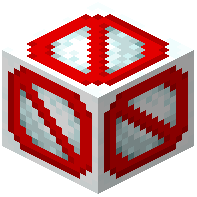 Snow Catcher prevents snow and ice from forming in the area around it. Place one in snowy biomes to keep your terrain clear.
Terrain Controller changes the appearance of nearby water, grass, and leaves. Right-click the block to open its menu and select which terrain type to modify. Use the color picker to choose your custom color—options range from cyan and blue to orange and yellow.
Both blocks are crafted using basic materials found in your world. Simply place them where you want their effects to take hold, and adjust colors as needed to customize your landscape.