
Set Up a Weather Radar Station to Track Incoming Storms
Building Your Radar
Construct a 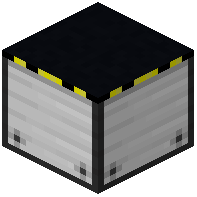 radar block in an open area of your base—preferably on a tower or rooftop for better signal range. Place it on a solid block and ensure it has clear sky access above. The radar will begin scanning for active weather systems automatically.
Reading the Radar Display
Interact with the radar block to open its map interface. You'll see your local area from above with storm systems displayed as colored patterns. Watch for rotating signatures that indicate tornado formation. The radar shows wind speed, cloud coverage, and storm movement direction in real time.
Extending Your Coverage
Place multiple radar blocks across your world to monitor different regions. Connect them with handheld weather tablets—craft these and carry them to receive alerts on the go. Position radars near your base, important structures, and resource areas you want to protect.
Acting on Warnings
When a storm approaches, the radar will show its path clearly. Use this time to move to shelter, activate base reinforcements with the  reinforcement wrench, or evacuate livestock and valuables. The further away a storm appears on your radar, the more preparation time you have.